
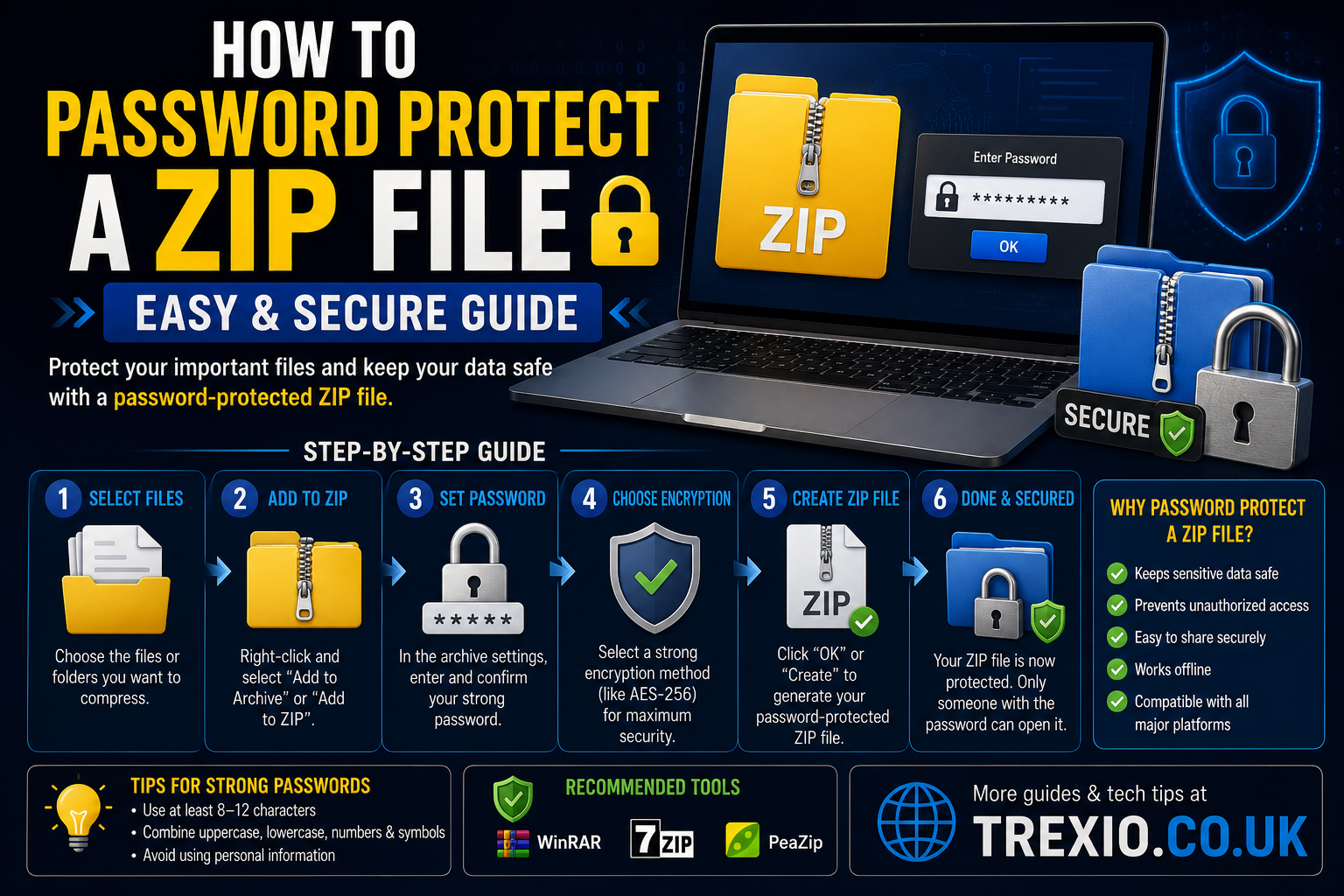
If you want to keep personal documents, business files, or confidential data safe, learning how to password protect a ZIP file is one of the simplest security measures you can take. ZIP files reduce file size while making it easy to store multiple files together, but without encryption, anyone can open them.
Fortunately, several trusted applications let you create encrypted ZIP archives within minutes. Whether you’re sharing files via email, cloud storage, or USB drives, knowing how to password protect a ZIP file helps prevent unauthorized access.
This guide explains how to password protect a ZIP file, compares the best software, highlights their features, pricing, and security, and helps you decide which tool best fits your needs.
Quick Summary
- Learn how to password protect a ZIP file on different operating systems.
- Discover the safest software for encrypted ZIP archives.
- Compare free and premium ZIP utilities.
- Understand AES encryption and password security.
- Find the best tool for personal and professional use.
- Follow simple steps to keep sensitive files protected.
How to Password Protect a ZIP File
Adding a password to a ZIP archive encrypts its contents so only users with the correct password can access the files. Modern compression software uses strong AES encryption, making how to password protect a ZIP file an essential skill for protecting financial documents, contracts, photos, backups, and confidential information.
Whether you’re using Windows, macOS, or Linux, several reliable applications make how to password protect a ZIP file quick and straightforward.
Best Software to Password Protect ZIP Files
Comparison Table
| Software | Platform | Encryption | Free Version | Best For | Ease of Use |
|---|---|---|---|---|---|
| 7-Zip | Windows | AES-256 | Yes | Best overall free solution for how to password protect a ZIP file | ⭐⭐⭐⭐⭐ |
| WinRAR | Windows | AES-256 | Trial | Creating secure ZIP and RAR archives | ⭐⭐⭐⭐⭐ |
| WinZip | Windows & macOS | AES-256 | Trial | Premium file compression and sharing | ⭐⭐⭐⭐⭐ |
| PeaZip | Windows & Linux | AES-256 | Yes | Open-source archive management | ⭐⭐⭐⭐☆ |
| Keka | macOS | AES-256 | Yes | macOS users needing encrypted ZIP files | ⭐⭐⭐⭐⭐ |
Why Password Protect a ZIP File?
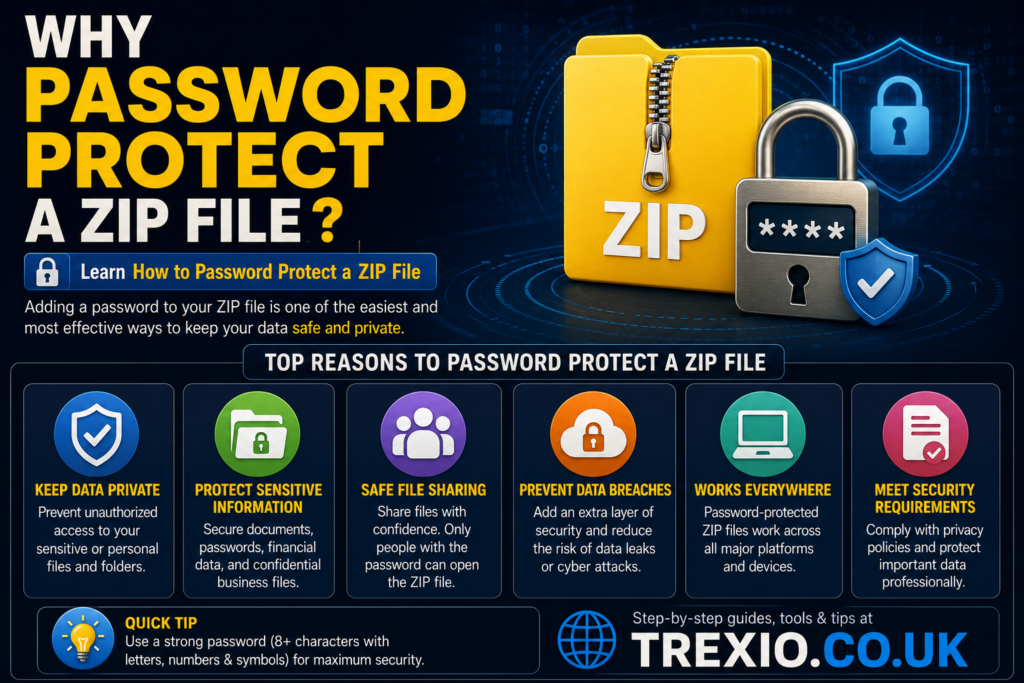
Password protection adds an extra layer of security before files are shared or stored. Learning how to password protect a ZIP file helps you:
- Protect confidential documents.
- Secure personal photos and videos.
- Encrypt financial records.
- Safeguard work-related files.
- Reduce the risk of unauthorized access.
Benefits of Password-Protected ZIP Files
Better Data Security
Understanding how to password protect a ZIP file helps ensure that only authorized users can view the contents.
Easy File Sharing
Instead of encrypting each file individually, you can secure multiple files inside one password-protected ZIP archive.
Strong Encryption
Most modern ZIP utilities use AES-256 encryption, providing excellent protection against unauthorized access.
Smaller File Size
ZIP compression reduces storage requirements while keeping files organized.
Cross-Platform Compatibility
Most password-protected ZIP archives can be opened on Windows, macOS, and Linux using compatible software.
Common Uses
People commonly learn how to password protect a ZIP file for:
- Email attachments
- Cloud storage backups
- Business documents
- Client file transfers
- Academic records
- Legal paperwork
- Personal archives
What Makes a Good ZIP Password?
When learning how to password protect a ZIP file, choosing a strong password is just as important as using encryption.
A secure password should:
- Be at least 12–16 characters long.
- Include uppercase and lowercase letters.
- Contain numbers.
- Include special characters.
- Avoid dictionary words and personal information.
Why AES-256 Encryption Matters
Most modern compression tools use AES-256 encryption because it offers significantly stronger protection than older ZIP encryption standards. When selecting software for how to password protect a ZIP file, AES-256 support should be one of your top priorities.
| Software | Platform | Encryption | Free Version | Best For | Ease of Use |
|---|---|---|---|---|---|
| Bandizip | Windows | AES-256 | Yes | Fast compression with password protection | ⭐⭐⭐⭐⭐ |
| SecureZIP | Windows | AES-256, FIPS Compliance | Trial | Enterprise-level encrypted ZIP archives | ⭐⭐⭐⭐☆ |
| BetterZip | macOS | AES-256 | Trial | Advanced archive management for Mac users | ⭐⭐⭐⭐☆ |
| Ark | Linux | Depends on backend tools | Yes | KDE desktop users needing encrypted archives | ⭐⭐⭐⭐☆ |
| NanaZip | Windows | AES-256 | Yes | Modern open-source alternative based on 7-Zip | ⭐⭐⭐⭐⭐ |
Feature Comparison Table
| Feature | 7-Zip | WinRAR | WinZip | PeaZip | Keka | Bandizip | SecureZIP | BetterZip | Ark | NanaZip |
|---|---|---|---|---|---|---|---|---|---|---|
| Password Protection | ✅ | ✅ | ✅ | ✅ | ✅ | ✅ | ✅ | ✅ | ✅ | ✅ |
| AES-256 Encryption | ✅ | ✅ | ✅ | ✅ | ✅ | ✅ | ✅ | ✅ | Depends | ✅ |
| ZIP Support | ✅ | ✅ | ✅ | ✅ | ✅ | ✅ | ✅ | ✅ | ✅ | ✅ |
| RAR Support | Limited | ✅ | ✅ | ✅ | Limited | Limited | ❌ | Limited | Limited | Limited |
| Open Source | ✅ | ❌ | ❌ | ✅ | ✅ | ❌ | ❌ | ❌ | ✅ | ✅ |
| Windows | ✅ | ✅ | ✅ | ✅ | ❌ | ✅ | ✅ | ❌ | ❌ | ✅ |
| macOS | ❌ | ✅ | ✅ | Limited | ✅ | ❌ | ❌ | ✅ | ❌ | ❌ |
| Linux | ✅ | Limited | ❌ | ✅ | ❌ | ❌ | ❌ | ❌ | ✅ | ❌ |
Pricing Comparison Table
| Software | Free Plan | Paid Version | Starting Price* |
|---|---|---|---|
| 7-Zip | Yes | No | Free |
| WinRAR | Trial | Yes | Around $29 |
| WinZip | Trial | Yes | Around $35 |
| PeaZip | Yes | No | Free |
| Keka | Yes | Optional App Store Purchase | Around $5 |
| Bandizip | Yes | Professional | Around $30 |
| SecureZIP | Trial | Yes | Custom Enterprise Pricing |
| BetterZip | Trial | Yes | Around $25 |
| Ark | Yes | No | Free |
| NanaZip | Yes | No | Free |
*Prices may vary by region and licensing options.
How to Choose the Best Software
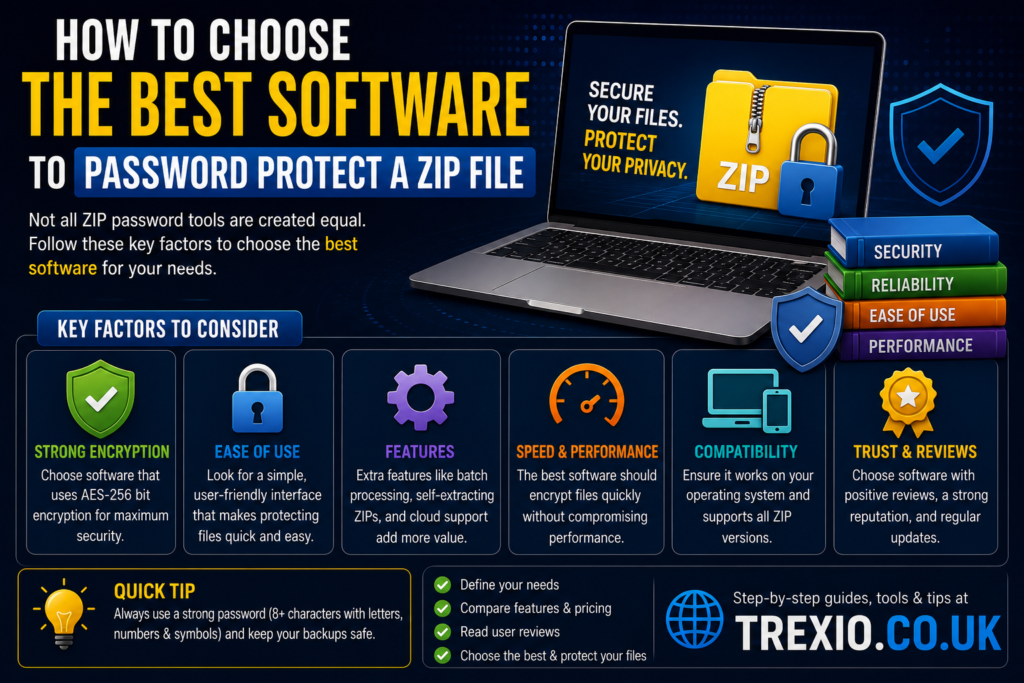
Choosing the right application depends on your operating system, budget, and security requirements. When deciding how to password protect a ZIP file, consider the following:
Security
Choose software that supports AES-256 encryption, which offers stronger protection than older ZIP encryption methods.
Ease of Use
If you’re new to archive management, select software with a simple interface, such as 7-Zip, WinZip, or Bandizip.
Operating System Compatibility
Ensure the application is available for your device:
- Windows: 7-Zip, WinRAR, Bandizip, NanaZip
- macOS: Keka, BetterZip, WinZip
- Linux: PeaZip, Ark, 7-Zip
Budget
Many excellent tools for how to password protect a ZIP file are completely free, making them suitable for personal and professional users alike.
Additional Features
Some utilities include:
- Batch compression
- File splitting
- Archive repair
- Cloud integration
- Secure file sharing
Our Recommendation
For most users learning how to password protect a ZIP file, these are the best choices:
🥇 Best Overall: 7-Zip
Free, lightweight, reliable, and supports AES-256 encryption.
🥈 Best Premium Option: WinZip
Ideal for users who want cloud integration and additional productivity features.
🥉 Best for Windows: WinRAR
Excellent compatibility with ZIP and RAR archives.
🏆 Best for macOS: Keka
Simple, fast, and completely free for most users.
⭐ Best Open-Source Alternative: PeaZip
Feature-rich with strong encryption and cross-platform support.
Conclusion
Learning how to password protect a ZIP file is an easy yet highly effective way to secure sensitive information. Whether you’re sharing business documents, personal photos, financial records, or backups, password-protected ZIP archives help keep your data safe from unauthorized access.
Free tools like 7-Zip, PeaZip, and NanaZip provide excellent security without additional costs, while premium solutions such as WinZip and WinRAR offer advanced features for power users. No matter which application you choose, always use a strong, unique password and AES-256 encryption whenever available. By following the guidance in this article, you’ll be well-equipped to create secure ZIP archives with confidence.
Frequently Asked Questions (FAQs)
1. How do I password protect a ZIP file for free?
You can use free software like 7-Zip, PeaZip, or NanaZip to create password-protected ZIP archives with AES-256 encryption.
2. Does Windows have built-in password protection for ZIP files?
No. Windows can create ZIP files but does not natively support adding password protection. You’ll need third-party software.
3. Which encryption is best for ZIP files?
AES-256 encryption is widely considered the most secure option for password-protected ZIP archives.
4. Can I open a password-protected ZIP file on another computer?
Yes. As long as compatible archive software is installed and you know the correct password, the ZIP file can be opened.
5. Is 7-Zip safe to use?
Yes. 7-Zip is a trusted, open-source file archiver that has been widely used for many years.
6. What happens if I forget the ZIP password?
Without the correct password, recovering the contents can be extremely difficult or impossible, especially when AES-256 encryption is used.
7. Can I password protect existing ZIP files?
Most archive utilities allow you to extract the files and create a new encrypted ZIP archive with a password.
8. Are password-protected ZIP files secure enough for business use?
Yes, when created with AES-256 encryption and a strong password, password-protected ZIP files provide a high level of security suitable for many business applications.
Quick Bio
Trexio.co.uk publishes practical technology guides, software comparisons, cybersecurity tutorials, and productivity tips to help readers make informed decisions. Our content focuses on clear explanations, hands-on advice, and up-to-date recommendations for everyday computer users and professionals alike.