
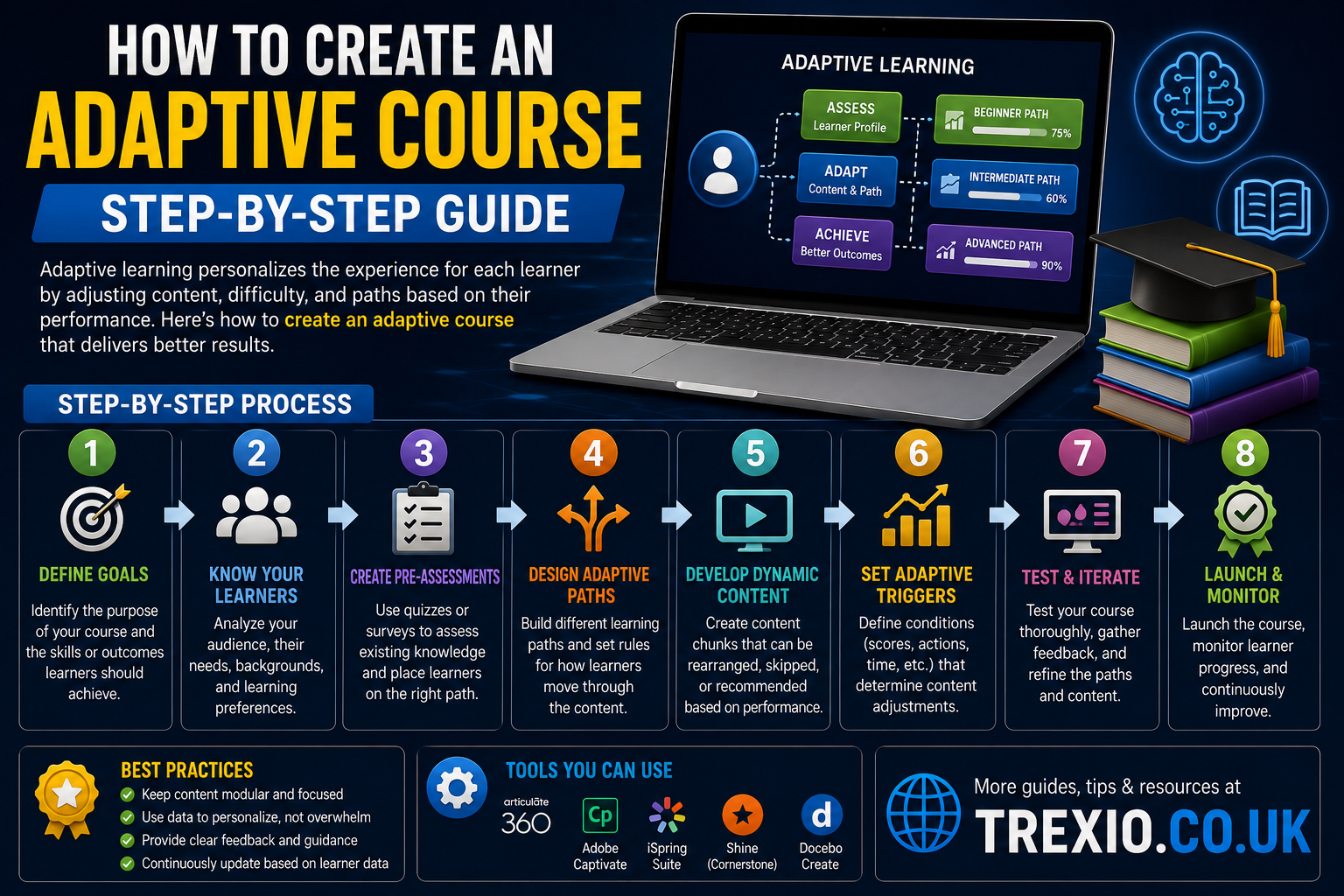
Knowing how to create an adaptive course is becoming an essential skill for educators, instructional designers, trainers, and businesses. Traditional online courses often deliver the same learning experience to every student, regardless of their knowledge level, learning speed, or goals. Adaptive learning changes that by creating personalized learning paths based on each learner’s performance and behavior.
If you’re wondering how to create an adaptive course, you’ll need the right combination of instructional design, learner analytics, assessment strategies, and adaptive learning software. The good news is that modern platforms make it much easier than ever before.
Whether you’re building employee training, university courses, certification programs, or customer education, understanding how to create an adaptive course helps improve learner engagement, retention, and completion rates. Throughout this guide, you’ll discover the best tools, practical steps, and expert recommendations for designing adaptive learning experiences that truly work.
Quick Summary
If you’re short on time, here’s a quick overview of how to create an adaptive course:
- Adaptive courses personalize learning based on learner performance.
- AI and analytics determine the next lesson automatically.
- Branching scenarios improve learner engagement.
- Assessments guide personalized learning paths.
- Modern LMS platforms simplify adaptive course creation.
- Choosing the right software is critical.
- Interactive content improves learning outcomes.
- Continuous analytics help optimize course performance.
Learning how to create an adaptive course allows organizations to increase learner satisfaction while reducing unnecessary training time.
How to Create an Adaptive Course
What Is an Adaptive Course?
An adaptive course is an online learning experience that changes according to the learner’s knowledge, behavior, quiz scores, and progress. Instead of showing identical content to everyone, adaptive learning platforms personalize the experience automatically.
Understanding how to create an adaptive course begins with recognizing that every learner has different strengths, weaknesses, and learning speeds.
Why Adaptive Learning Is Growing
More schools, universities, and businesses are adopting adaptive learning because it offers:
- Personalized learning
- Higher engagement
- Better completion rates
- Faster knowledge retention
- Improved learner satisfaction
- AI-driven recommendations
- Reduced training costs
Anyone researching how to create an adaptive course should focus on learner-centered design rather than one-size-fits-all content.
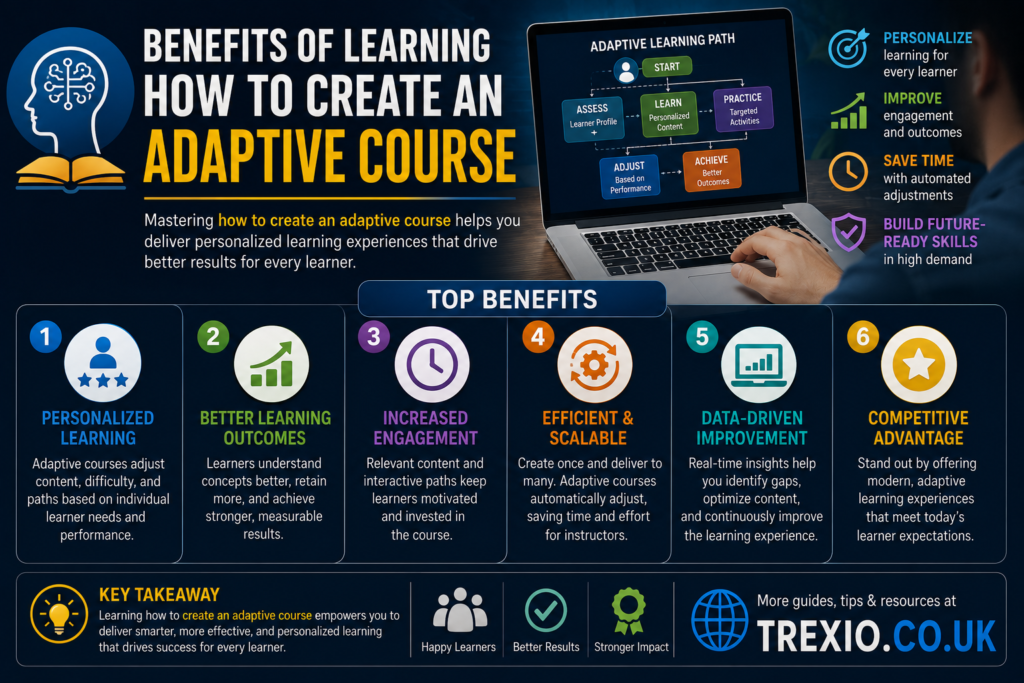
Benefits of Learning How to Create an Adaptive Course
Personalized Learning Paths
Adaptive learning platforms automatically recommend different lessons depending on learner performance.
Better Student Engagement
Interactive branching keeps learners interested by presenting content that matches their skill level.
Higher Completion Rates
Students are less likely to abandon courses when lessons are appropriately challenging.
Improved Analytics
Most adaptive learning systems provide detailed learner insights that help instructors improve content continuously.
Better ROI
Organizations investing time in learning how to create an adaptive course often experience better training outcomes with fewer support requirements.
Best Software to Create Adaptive Courses
| Software | Best For | Key Features | Pricing | Pros | Cons |
|---|---|---|---|---|---|
| Adobe Learning Manager | Enterprise training | AI recommendations, adaptive learning paths, analytics, certifications | Custom Quote | Powerful enterprise features, scalable | Higher cost for small teams |
| TalentLMS | Small to medium businesses | Branching, quizzes, learner tracking, automation | Free plan available, paid plans | Easy to use, affordable | Limited advanced AI capabilities |
| Moodle | Educational institutions | Open-source, adaptive quizzes, conditional activities | Free (self-hosted) | Highly customizable | Requires technical setup |
| Docebo | Corporate learning | AI learning suggestions, automation, reporting | Custom Pricing | Excellent AI features | Premium pricing |
| LearnUpon | Employee onboarding | Learning paths, assessments, reporting, integrations | Custom Pricing | User-friendly interface | Fewer customization options than open-source platforms |
Essential Features Every Adaptive Course Should Include
Smart Assessments
Frequent quizzes determine what learners already know and what content they should study next. This is one of the most important principles when learning how to create an adaptive course.
Conditional Learning Paths
Branching logic automatically directs learners toward beginner, intermediate, or advanced content.
Personalized Feedback
Immediate feedback helps learners understand mistakes and improve faster.
Learning Analytics
Detailed reports help instructors monitor progress and continuously improve adaptive learning experiences.
Mobile Compatibility
Modern learners expect adaptive courses to work across desktops, tablets, and smartphones.
| Software | Best For | Key Features | Pricing | Pros | Cons |
|---|---|---|---|---|---|
| iSpring Learn | Corporate training | Course builder, adaptive quizzes, reporting, SCORM support | Paid plans | Easy PowerPoint integration, quick deployment | Limited AI-driven personalization |
| Articulate 360 | Instructional designers | Branching scenarios, interactive content, responsive design | Subscription | Excellent authoring tools, rich templates | Requires separate LMS for delivery |
| Absorb LMS | Large organizations | Adaptive learning paths, AI recommendations, analytics | Custom Pricing | Scalable, modern interface | Higher cost for small businesses |
| Cornerstone Learning | Enterprise workforce development | Personalized learning journeys, skills tracking, AI recommendations | Custom Pricing | Robust enterprise capabilities | Complex implementation |
| Canvas LMS | Schools and universities | Mastery paths, conditional release, assessments, integrations | Free basic version; paid institutional plans | Widely adopted, flexible ecosystem | Advanced adaptive features require setup |
Feature Comparison Table
| Feature | Adobe Learning Manager | TalentLMS | Moodle | Docebo | LearnUpon | iSpring Learn | Articulate 360 | Absorb LMS | Cornerstone Learning | Canvas LMS |
|---|---|---|---|---|---|---|---|---|---|---|
| Adaptive Learning | ✅ | ✅ | ✅ | ✅ | ✅ | ✅ | Branching Only | ✅ | ✅ | ✅ |
| AI Recommendations | ✅ | Limited | Limited | ✅ | Limited | Limited | ❌ | ✅ | ✅ | Limited |
| Learning Paths | ✅ | ✅ | ✅ | ✅ | ✅ | ✅ | ✅ | ✅ | ✅ | ✅ |
| Branching Scenarios | ✅ | ✅ | ✅ | ✅ | Limited | ✅ | ✅ | ✅ | ✅ | ✅ |
| Analytics Dashboard | ✅ | ✅ | ✅ | ✅ | ✅ | ✅ | Limited | ✅ | ✅ | ✅ |
| Mobile Learning | ✅ | ✅ | ✅ | ✅ | ✅ | ✅ | Responsive | ✅ | ✅ | ✅ |
| SCORM/xAPI Support | ✅ | ✅ | ✅ | ✅ | ✅ | ✅ | ✅ | ✅ | ✅ | ✅ |
| Best For | Enterprise | SMB | Education | Corporate | Employee Training | Corporate | Content Creation | Enterprise | Large Enterprises | Education |
Pricing Comparison Table
| Software | Free Plan | Starting Price | Enterprise Option |
|---|---|---|---|
| Adobe Learning Manager | ❌ | Custom Quote | ✅ |
| TalentLMS | ✅ | From approximately $69/month | ✅ |
| Moodle | ✅ (Self-hosted) | Free | Hosting costs apply |
| Docebo | ❌ | Custom Quote | ✅ |
| LearnUpon | ❌ | Custom Quote | ✅ |
| iSpring Learn | ❌ | From approximately $3.70 per user/month | ✅ |
| Articulate 360 | ❌ | From approximately $1,199/year | Team plans available |
| Absorb LMS | ❌ | Custom Quote | ✅ |
| Cornerstone Learning | ❌ | Custom Quote | ✅ |
| Canvas LMS | ✅ | Custom institutional pricing | ✅ |
How to Choose the Best Software
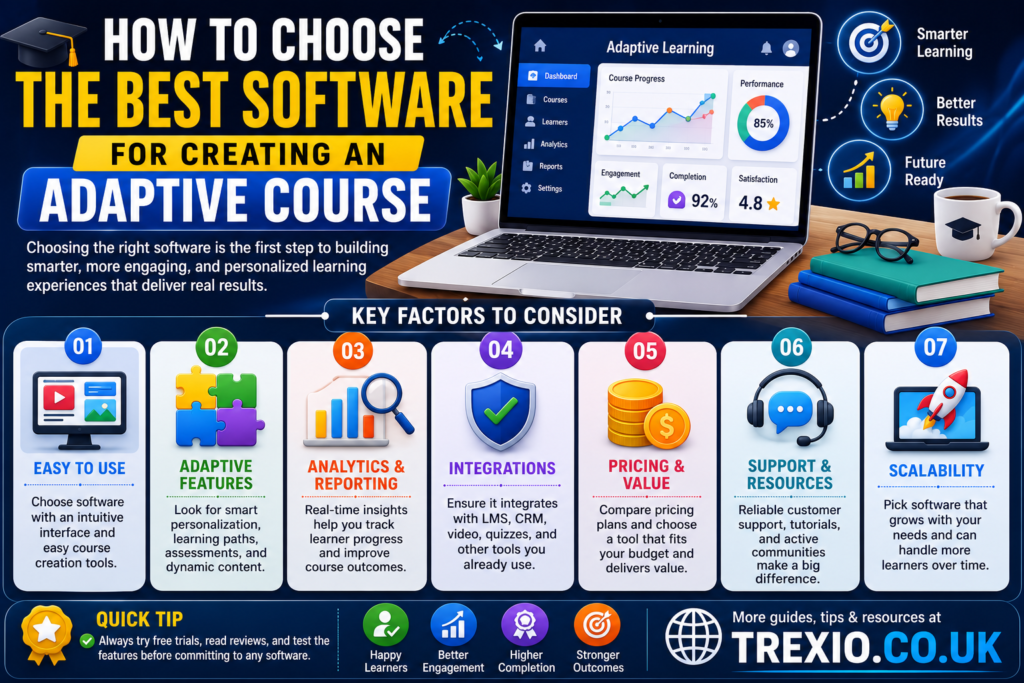
Selecting the right platform depends on your audience, budget, technical expertise, and learning objectives. If you’re learning how to create an adaptive course, choosing software that supports personalized learning paths, analytics, and automation will make the process much easier.
Consider these factors before making a decision
- Define whether your audience is academic, corporate, or customer-focused.
- Look for adaptive learning paths and conditional content release.
- Ensure the platform supports SCORM or xAPI for compatibility.
- Evaluate reporting and learner analytics.
- Consider AI-powered recommendations if personalization is a priority.
- Check integration with your existing LMS, HR, or CRM systems.
- Compare long-term pricing rather than introductory offers.
- Test usability with a free trial whenever possible.
- Verify mobile compatibility for learners on multiple devices.
- Choose software that can scale as your organization grows.
Our Recommendation
If you’re just beginning to learn how to create an adaptive course, TalentLMS offers an excellent balance of affordability, ease of use, and essential adaptive learning features.
For educational institutions, Moodle remains one of the most flexible choices thanks to its open-source ecosystem and customizable adaptive activities.
Large enterprises seeking advanced AI-powered personalization should consider Docebo, Adobe Learning Manager, or Cornerstone Learning, as these platforms provide sophisticated analytics, automation, and personalized learning experiences.
Instructional designers focused on creating rich interactive content may find Articulate 360 the ideal authoring solution when paired with a capable learning management system.
Conclusion
Understanding how to create an adaptive course is no longer just a competitive advantage—it’s becoming a standard expectation in modern digital learning. Adaptive courses deliver personalized experiences that help learners stay engaged, progress at their own pace, and achieve better outcomes.
By combining thoughtful instructional design with the right adaptive learning platform, you can create courses that respond intelligently to each learner’s needs. Whether you’re building employee training, academic programs, or customer education, investing in adaptive learning technology can significantly improve completion rates, learner satisfaction, and overall training effectiveness.
Frequently Asked Questions
1. What is an adaptive course?
An adaptive course is a learning program that automatically adjusts lessons, assessments, or content based on a learner’s performance, knowledge, or behavior.
2. How do I create an adaptive course?
To learn how to create an adaptive course, start by defining learning objectives, creating assessments, designing branching paths, and using adaptive learning software that supports personalization.
3. Do I need AI to build an adaptive course?
No. While AI enhances personalization, many platforms use rule-based branching and conditional logic to create adaptive learning experiences effectively.
4. Which LMS is best for adaptive learning?
Popular options include Adobe Learning Manager, Moodle, Docebo, TalentLMS, LearnUpon, Absorb LMS, and Canvas LMS, depending on your needs and budget.
5. Can small businesses create adaptive courses?
Yes. Affordable platforms like TalentLMS and iSpring Learn make adaptive learning accessible to small businesses and growing organizations.
6. Is adaptive learning suitable for higher education?
Absolutely. Universities frequently use adaptive learning to personalize instruction, improve engagement, and increase student success.
7. What are the benefits of adaptive learning?
Benefits include personalized learning, higher engagement, improved knowledge retention, faster skill development, and better learner outcomes.
8. Is adaptive learning expensive?
Costs vary widely. Open-source solutions like Moodle are free to self-host, while enterprise platforms typically offer custom pricing based on users and required features.
Quick Bio
Author: Trexio Editorial Team
The Trexio Editorial Team specializes in technology, eLearning, AI tools, software reviews, and digital transformation. Our writers research leading platforms, compare features, and publish practical, easy-to-understand guides that help educators, businesses, and professionals make informed software decisions.