
Development Tools Advantages and Disadvantages
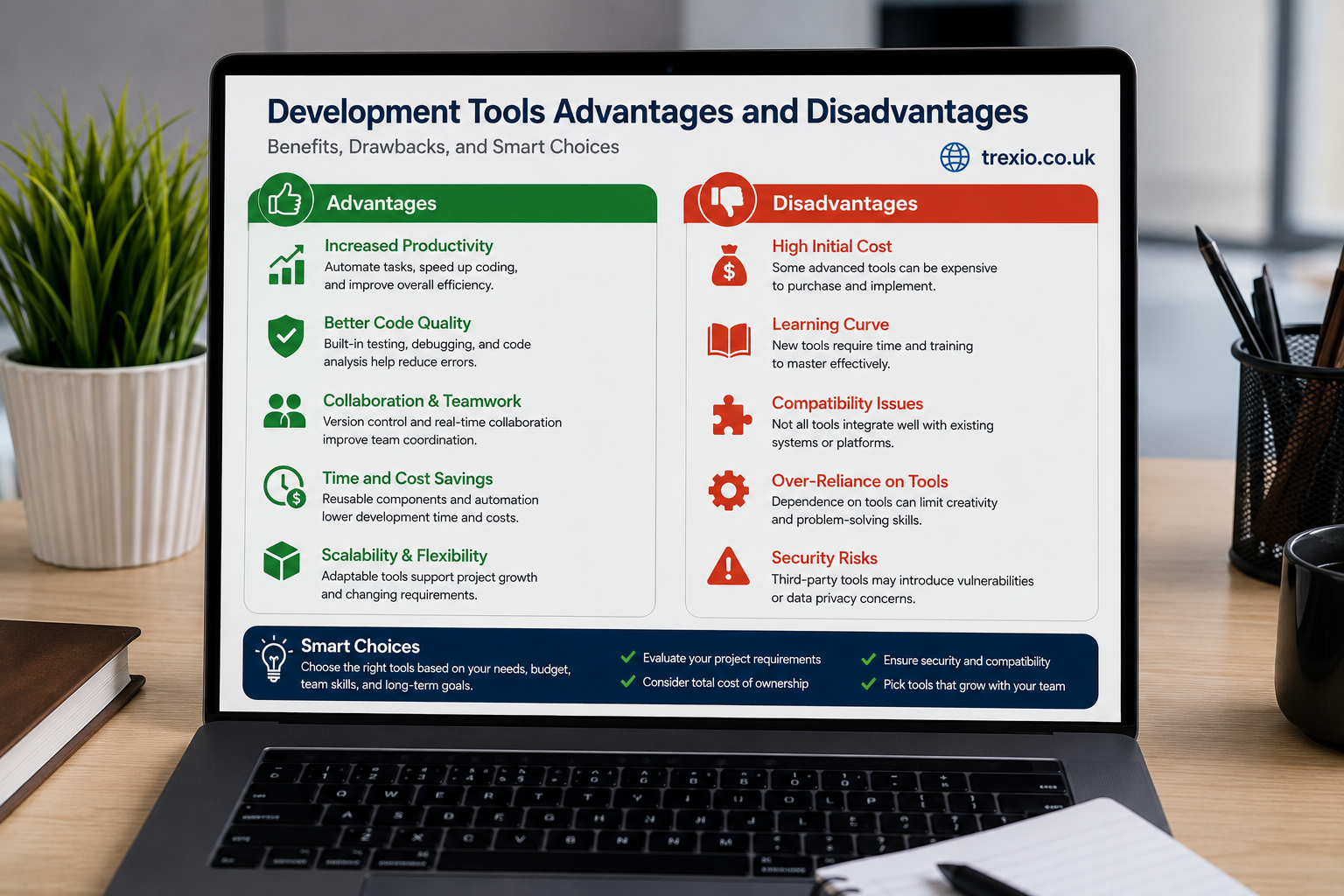
Software development has evolved rapidly over the past decade, and choosing the right tools is no longer a simple technical decision. Every organization, from startups to enterprise software companies, depends on development tools to improve coding efficiency, collaboration, testing, deployment, and maintenance. However, while these tools offer remarkable benefits, they also introduce challenges that can affect productivity, budgets, and long-term scalability. Understanding the development tools advantages and disadvantages helps developers, project managers, and business owners make informed decisions instead of following trends blindly. Some tools simplify complex workflows, while others create unnecessary dependencies or steep learning curves. The ideal choice depends on project requirements, team expertise, security expectations, and available resources. This guide explores the real-world strengths and weaknesses of modern development tools while following practical industry experience rather than marketing claims.
Quick Answer
The development tools advantages and disadvantages vary depending on the software, programming language, project size, and team structure. Their primary advantages include improved productivity, automation, faster debugging, better collaboration, higher code quality, and streamlined deployment. Their disadvantages often involve licensing costs, compatibility issues, learning complexity, vendor lock-in, maintenance overhead, and security risks. Selecting the right development tools requires balancing features, cost, scalability, and long-term support while matching organizational goals.
What Are Development Tools?
Development tools are software applications that help programmers design, write, test, debug, deploy, and maintain applications efficiently. They range from simple code editors to complete integrated development environments (IDEs), version control platforms, debugging utilities, testing frameworks, containerization software, and cloud-based deployment services. Modern developers rarely rely on a single application because today’s software projects require multiple interconnected tools working together throughout the software development lifecycle. Understanding the development tools advantages and disadvantages begins with recognizing that each tool serves a specific purpose within a larger ecosystem. Some improve coding speed through intelligent code completion, while others automate repetitive tasks or identify security vulnerabilities before deployment. Businesses rely on these technologies to shorten release cycles and improve customer satisfaction. As applications become increasingly complex, development tools continue evolving with AI-assisted coding, automation, and cloud-native capabilities. Their growing importance makes choosing the right combination a strategic decision rather than merely a technical preference.
Common Categories of Development Tools
Development tools cover many specialized categories that address different phases of software creation. Integrated Development Environments combine editing, compiling, debugging, and project management into one workspace. Version control systems track code changes and enable multiple developers to collaborate without overwriting each other’s work. Build automation tools package applications efficiently while reducing manual errors. Testing frameworks verify functionality before software reaches users, improving reliability and reducing maintenance costs. Deployment tools automate software releases across servers and cloud platforms. Database management tools simplify data storage and optimization, while API development tools help developers build and test integrations. Cloud development platforms further streamline workflows by providing scalable infrastructure. Understanding these categories helps organizations maximize the development tools advantages and disadvantages according to project needs rather than adopting unnecessary software.
Examples of Popular Development Tools
Several well-known development tools have become industry standards because of their reliability and feature-rich environments. Visual Studio Code is widely appreciated for its flexibility and extensive extension ecosystem. IntelliJ IDEA offers advanced capabilities for Java development, while Eclipse remains popular among enterprise environments. Git enables collaborative version control across distributed teams. Docker simplifies application deployment through containerization, and Jenkins automates continuous integration workflows. GitHub and GitLab enhance collaboration with repository management and code reviews. Postman accelerates API testing, while Kubernetes supports scalable container orchestration. Each tool offers unique strengths, reinforcing why evaluating the development tools advantages and disadvantages before adoption is essential for long-term project success.
Why Development Tools Matter in Modern Software Engineering
Modern software development involves distributed teams, frequent releases, cloud infrastructure, cybersecurity requirements, and rapidly changing customer expectations. Without efficient development tools, managing these complexities would become significantly more difficult and time-consuming. High-quality tools improve workflow consistency while reducing repetitive manual work that often leads to mistakes. They allow developers to focus on solving business problems instead of managing routine operational tasks. Organizations investing in the right technologies generally experience shorter development cycles, higher software quality, and improved customer satisfaction. However, every technology decision should include careful evaluation because selecting unsuitable software may reduce productivity instead of improving it. Understanding the development tools advantages and disadvantages enables businesses to balance innovation with practical implementation. As software engineering continues evolving, these tools become increasingly central to successful digital transformation initiatives.
Role Throughout the Software Development Lifecycle
Development tools contribute value throughout every stage of software creation. During planning, project management platforms organize tasks and define milestones. During coding, IDEs improve efficiency through syntax highlighting, intelligent suggestions, and automated formatting. During testing, automated frameworks validate application functionality across multiple environments. During deployment, DevOps tools streamline releases while reducing downtime. Maintenance tools monitor performance, detect issues, and simplify future updates. Security scanning solutions identify vulnerabilities before attackers exploit them. Together, these technologies demonstrate the real development tools advantages and disadvantages, as organizations gain speed and reliability while also accepting increased infrastructure complexity and training requirements.
Types of Development Tools
Different software projects require different categories of development tools because no single solution addresses every technical challenge. Front-end developers often prioritize interface design, browser compatibility, and responsive testing, whereas back-end engineers focus on databases, APIs, scalability, and server management. Mobile application developers rely on platform-specific SDKs and emulators, while cloud engineers require container orchestration and infrastructure automation platforms. The development tools advantages and disadvantages vary significantly depending on the intended use case, organizational objectives, and technical architecture. Selecting tools without understanding their purpose frequently leads to duplicated functionality, higher licensing costs, and inefficient workflows. Organizations benefit most by building a carefully planned development ecosystem instead of collecting numerous unrelated applications. Strategic tool selection also simplifies onboarding for new developers and reduces operational complexity. This approach creates a more sustainable and productive software engineering environment.
Front-End Development Tools
Front-end development tools help developers build responsive, visually appealing user interfaces that perform consistently across browsers and devices. These tools often include code editors, CSS preprocessors, browser debugging utilities, design systems, accessibility checkers, and JavaScript frameworks. Modern front-end environments support live previews, intelligent code completion, and automated optimization techniques that improve user experience. Understanding the development tools advantages and disadvantages is particularly important because front-end technologies evolve rapidly, requiring continuous updates and learning. Teams adopting modern frameworks often gain development speed while accepting increased maintenance responsibilities. Compatibility testing tools also ensure consistent functionality across multiple operating systems and browsers. Effective front-end tool selection ultimately contributes to improved customer satisfaction and application usability.
Back-End Development Tools
Back-end development focuses on application logic, databases, APIs, authentication, and server performance. Specialized development tools simplify server configuration, automate deployments, optimize database queries, and monitor application health. These platforms frequently integrate with cloud infrastructure to improve scalability and availability. The development tools advantages and disadvantages become especially important in enterprise systems where downtime directly affects revenue and customer trust. Reliable monitoring software identifies performance bottlenecks before they impact users, while automated deployment solutions reduce operational errors. Security-focused development tools further protect sensitive business information through vulnerability scanning and compliance checks. Together, these technologies enable organizations to build secure, scalable, and maintainable software systems.
Core Components of a Development Environment
A productive development environment combines multiple interconnected tools rather than relying on a single application. Developers typically work with source code editors, compilers, debuggers, version control platforms, testing frameworks, package managers, database utilities, containerization technologies, and cloud deployment services. Each component contributes unique capabilities that improve software quality and operational efficiency. Understanding the development tools advantages and disadvantages requires examining how these components interact within real-world projects instead of evaluating them individually. Poor integration between tools often creates workflow bottlenecks despite excellent standalone features. Conversely, well-integrated ecosystems reduce context switching and improve collaboration among development teams. Organizations should evaluate compatibility, scalability, automation capabilities, and long-term support before assembling their development environments. Careful planning leads to higher productivity and lower maintenance costs throughout the software lifecycle.
Essential Components at a Glance
| Component | Primary Purpose | Business Value |
|---|---|---|
| Code Editor or IDE | Writing software | Faster coding |
| Version Control | Manage source code | Team collaboration |
| Debugger | Find software errors | Improved quality |
| Testing Framework | Validate applications | Higher reliability |
| Build Tool | Compile applications | Faster releases |
| CI/CD Platform | Automate deployment | Reduced manual work |
| Database Tool | Manage data | Better performance |
| Container Platform | Package applications | Consistent deployment |
Major Advantages of Development Tools
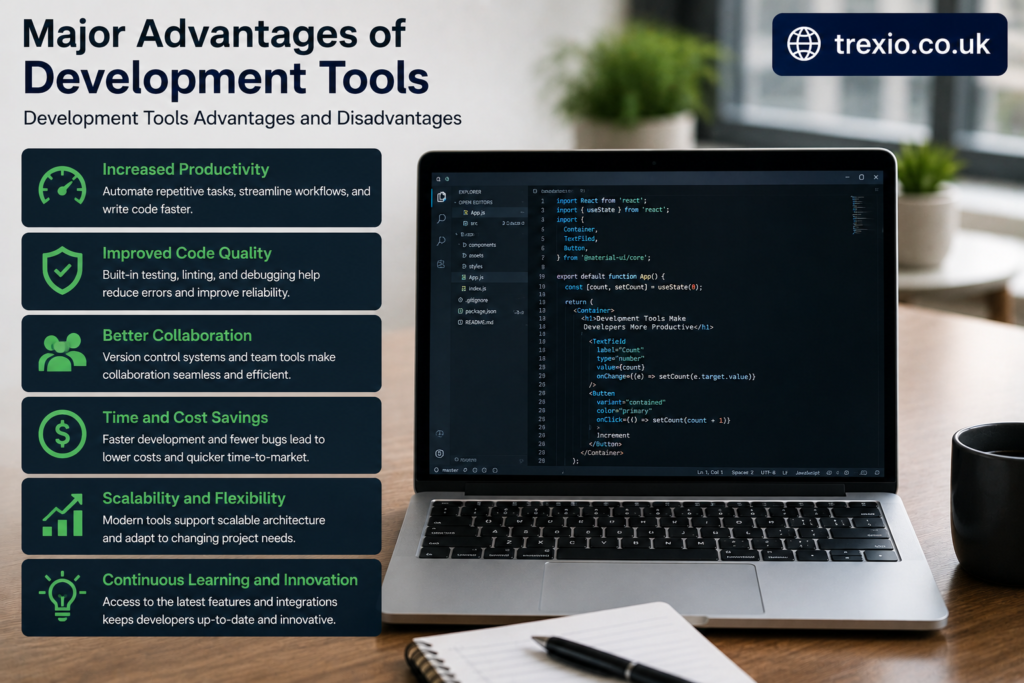
The widespread adoption of modern software development tools reflects their ability to improve efficiency, reduce costs, and deliver higher-quality applications. Organizations across industries invest heavily in these technologies because they simplify complex workflows while enabling teams to release software more frequently. Understanding the development tools advantages and disadvantages begins with recognizing how these solutions transform everyday development activities. Instead of manually repeating routine tasks, developers can automate testing, deployment, formatting, documentation, and security scanning. Collaboration also improves through shared repositories, project tracking systems, and cloud-based environments. Although implementation requires training and investment, the long-term productivity gains often outweigh the initial costs. Businesses that strategically adopt development tools typically achieve greater agility and stronger competitive positioning. The following sections examine these major advantages in greater detail.
Increased Developer Productivity
One of the most recognized benefits within the development tools advantages and disadvantages discussion is improved productivity. Intelligent code completion, syntax highlighting, automated refactoring, reusable templates, and integrated debugging significantly reduce development time. Developers spend fewer hours searching for simple syntax errors and more time building valuable features. Automation also minimizes repetitive tasks, allowing engineering teams to focus on innovation rather than maintenance. Integrated documentation and searchable code repositories further accelerate project development by making information readily accessible. Collaborative platforms reduce communication delays while supporting remote and hybrid teams. Faster development cycles ultimately enable businesses to deliver software updates more frequently. Higher productivity also contributes to better resource utilization and improved return on technology investments.
Better Code Quality
Modern development tools significantly improve software quality through automated testing, static code analysis, formatting standards, and continuous monitoring. Many platforms identify coding mistakes before compilation, reducing expensive post-release bug fixes. Security scanners detect vulnerabilities early, allowing developers to resolve issues during development instead of after deployment. Consistent formatting improves code readability, making future maintenance easier for both current and new team members. Code review systems encourage collaboration while promoting best practices across development teams. Understanding the development tools advantages and disadvantages requires acknowledging that these quality improvements often reduce long-term maintenance costs. Reliable software also strengthens customer trust and business reputation. Organizations prioritizing code quality generally experience fewer production incidents and greater operational stability.
Development Tools Advantages and Disadvantages in Different Project Sizes
The development tools advantages and disadvantages become even more noticeable when organizations compare projects of different sizes. A solo developer building a personal application often values lightweight tools that are easy to install and require minimal configuration. In contrast, medium-sized teams usually need collaboration platforms, automated testing, and version control systems to keep everyone aligned. Large enterprises rely on complete ecosystems that integrate project management, security scanning, cloud deployment, analytics, and compliance monitoring. Although enterprise-grade tools provide extensive functionality, they often introduce higher licensing costs and administrative complexity. Smaller teams may find these advanced platforms unnecessary and expensive, while larger organizations may struggle with limited free tools that lack scalability. Choosing tools based on project scope rather than popularity leads to better long-term outcomes. Understanding the development tools advantages and disadvantages in relation to project size helps organizations avoid unnecessary expenses while ensuring they have the capabilities needed to support future growth.
Comparison by Project Size
| Project Size | Recommended Tool Type | Major Advantages | Possible Disadvantages |
|---|---|---|---|
| Individual Projects | Lightweight IDEs and Git | Easy setup, low cost | Limited collaboration |
| Small Teams | IDEs, GitHub, CI/CD | Better teamwork, automation | Initial learning curve |
| Medium Businesses | Integrated DevOps platforms | Improved productivity | Moderate licensing costs |
| Enterprise Organizations | Complete development ecosystems | Scalability and governance | High complexity and maintenance |
Common Disadvantages of Development Tools
While the benefits are substantial, the development tools advantages and disadvantages discussion would be incomplete without examining their limitations. Modern development platforms can become expensive as organizations scale and require premium features or enterprise licensing. Many sophisticated tools also have steep learning curves that demand continuous training and certification. Frequent software updates may introduce compatibility issues or require additional testing before implementation. Some organizations become overly dependent on specific vendors, making future migrations difficult and costly. Integration challenges can also arise when multiple tools from different providers need to communicate with one another. Performance overhead is another concern, particularly for resource-intensive IDEs running on older hardware. Security vulnerabilities within third-party plugins or extensions may expose development environments to unnecessary risks if they are not properly maintained. Recognizing these challenges enables organizations to plan proactively and maximize the value of their software development investments.
Cost and Licensing Challenges
One of the most significant concerns associated with the development tools advantages and disadvantages is the financial investment required. Although many excellent open-source tools are available, enterprise organizations often require premium editions with advanced collaboration, security, compliance, and support features. Subscription pricing can increase rapidly as development teams grow, creating ongoing operational expenses rather than one-time purchases. Additional costs may include training, certifications, infrastructure upgrades, consulting services, and technical support contracts. Organizations should evaluate total cost of ownership rather than focusing only on initial licensing fees. Hidden expenses such as migration, customization, and maintenance frequently exceed original expectations. Conducting a detailed cost-benefit analysis before adopting new tools helps organizations avoid unnecessary financial burdens. Careful budgeting also ensures that software investments continue delivering measurable business value over time.
Learning Curve and Training Requirements
Advanced development tools often include hundreds of features designed to improve productivity, but these capabilities can overwhelm new users. Developers may require weeks or months to fully understand automation workflows, debugging features, deployment pipelines, and configuration options. This learning period temporarily reduces productivity before long-term efficiency improvements become apparent. Organizations investing in employee training generally achieve better returns because developers learn how to leverage advanced capabilities effectively. The development tools advantages and disadvantages therefore extend beyond software features to include workforce readiness and knowledge management. Comprehensive documentation, mentoring, and internal workshops help reduce adoption barriers. Selecting tools with active communities and educational resources also simplifies onboarding for new employees. Continuous learning remains essential because development technologies evolve rapidly throughout the software industry.
Vendor Lock-In and Compatibility Issues
Vendor lock-in represents another important consideration when evaluating the development tools advantages and disadvantages. Some proprietary platforms encourage organizations to build workflows around exclusive technologies that become difficult to replace later. Migrating repositories, pipelines, or cloud services between vendors can require considerable time, technical expertise, and financial investment. Compatibility issues may also emerge when integrating legacy systems with modern development environments. Even widely adopted tools occasionally introduce breaking changes during software updates, forcing organizations to revise existing workflows. Open standards and interoperable technologies reduce these risks while improving long-term flexibility. Businesses should prioritize solutions that support widely accepted development standards whenever possible. This strategy minimizes dependency on individual vendors and provides greater freedom to adapt as business requirements evolve.
How to Choose the Right Development Tools
Selecting the appropriate development environment requires balancing technical requirements, organizational objectives, budget constraints, and future scalability. The development tools advantages and disadvantages should always be evaluated according to specific project needs rather than marketing claims or industry trends. Teams should begin by identifying programming languages, deployment environments, collaboration requirements, and security expectations. Compatibility with existing infrastructure is equally important because isolated tools often create operational inefficiencies. Organizations should also evaluate community support, documentation quality, update frequency, and vendor reputation before making long-term commitments. Pilot testing with real development scenarios provides valuable insight into usability and performance. Gathering feedback from developers, project managers, and DevOps engineers ensures that selected tools address practical challenges instead of theoretical requirements. A thoughtful evaluation process leads to sustainable software development practices and stronger project outcomes.
Evaluation Checklist
| Evaluation Factor | Why It Matters |
|---|---|
| Ease of Use | Faster onboarding and productivity |
| Performance | Efficient software development |
| Security Features | Protects source code and data |
| Integration Support | Works with existing systems |
| Scalability | Supports future business growth |
| Community Support | Easier troubleshooting |
| Documentation | Simplifies learning |
| Cost | Fits organizational budgets |
Best Practices for Using Development Tools

Organizations maximize the development tools advantages and disadvantages by following structured implementation strategies instead of relying solely on technology. Standardizing development environments across teams reduces compatibility issues and simplifies collaboration. Regular software updates help address security vulnerabilities while providing access to new productivity features. Automated testing and continuous integration should become standard practices to improve software quality and reduce deployment risks. Developers should periodically review installed plugins and extensions to eliminate outdated or unnecessary components. Maintaining comprehensive documentation ensures consistent workflows regardless of team size or employee turnover. Training programs should accompany major software upgrades so teams fully utilize available capabilities. Finally, organizations should continuously evaluate tool effectiveness and replace outdated technologies when better alternatives become available.
Best Practices Checklist
- Standardize development environments across teams.
- Use version control for every project.
- Automate testing whenever possible.
- Keep tools updated with stable releases.
- Remove unused plugins regularly.
- Monitor software performance continuously.
- Train developers on advanced features.
- Review development workflows every quarter.
Common Mistakes to Avoid
Many organizations fail to realize the full development tools advantages and disadvantages because they make preventable implementation mistakes. One common error is adopting too many overlapping tools, creating unnecessary complexity instead of improving productivity. Another mistake involves selecting software based solely on popularity without evaluating business requirements. Ignoring integration compatibility often results in fragmented workflows and duplicated effort. Some teams underestimate training requirements, leading to poor adoption and inconsistent usage. Others delay software updates, exposing development environments to security vulnerabilities and compatibility issues. Failing to establish coding standards also reduces the effectiveness of collaborative platforms. Organizations sometimes overlook scalability, forcing costly migrations as projects expand. Avoiding these mistakes enables businesses to achieve greater efficiency while maintaining stable and secure development environments.
Pro Tips for Maximizing Development Tool Performance
Experienced software teams recognize that success depends not only on choosing quality tools but also on using them strategically. One valuable recommendation is to automate repetitive tasks whenever practical because automation reduces human error while improving development speed. Another useful practice is integrating security scanning into continuous integration pipelines instead of treating security as a separate activity. The development tools advantages and disadvantages should also be reviewed annually because organizational needs change as businesses grow. Developers should customize their IDEs carefully, adding only extensions that genuinely improve productivity. Cloud synchronization simplifies collaboration among distributed teams while protecting project configurations. Monitoring productivity metrics helps organizations identify bottlenecks and optimize workflows. Encouraging knowledge sharing among developers also improves overall team performance and accelerates onboarding for new employees. Continuous improvement remains one of the most effective strategies for maximizing the long-term value of software development tools.
Comparison of Advantages and Disadvantages
| Advantages | Disadvantages |
|---|---|
| Faster software development | Initial licensing costs |
| Improved code quality | Learning curve |
| Better collaboration | Vendor lock-in risks |
| Automated testing | Integration challenges |
| Faster debugging | Maintenance overhead |
| Continuous deployment | Hardware requirements |
| Improved security scanning | Plugin compatibility issues |
| Greater scalability | Ongoing subscription costs |
Conclusion
Understanding the development tools advantages and disadvantages is essential for anyone involved in modern software development. The right tools can significantly improve productivity, collaboration, software quality, and deployment efficiency while reducing repetitive manual work. At the same time, organizations must carefully consider costs, training requirements, compatibility, scalability, and long-term maintenance before adopting new technologies. No single solution fits every project, making careful evaluation a critical part of successful software engineering. Businesses that align development tools with technical objectives and organizational goals are better positioned to deliver reliable, secure, and scalable applications. Continuous learning, regular tool evaluation, and adherence to industry best practices ensure that development environments remain effective as technology evolves. By balancing benefits with potential limitations, organizations can make informed decisions that support sustainable growth and long-term software success.
Frequently Asked Questions (FAQs)
1. What are development tools?
Development tools are software applications that help developers write, test, debug, deploy, and maintain software more efficiently.
2. Why are development tools important?
They improve productivity, reduce coding errors, automate repetitive tasks, and support collaboration across development teams.
3. What are the main advantages of development tools?
The primary advantages include faster development, improved code quality, automation, better collaboration, enhanced debugging, and streamlined deployment.
4. What are the disadvantages of development tools?
Common disadvantages include licensing costs, learning complexity, integration issues, vendor dependency, and ongoing maintenance requirements.
5. Are free development tools suitable for professional projects?
Yes. Many open-source development tools are widely used in enterprise environments, although some organizations require premium features for advanced security and collaboration.
6. How do development tools improve software quality?
They provide automated testing, code analysis, debugging capabilities, formatting standards, and security scanning that help developers identify issues earlier.
7. How often should development tools be updated?
Organizations should apply stable updates regularly after testing compatibility to benefit from security improvements, bug fixes, and new features.
8. Which factors should be considered before selecting development tools?
Important factors include project requirements, scalability, cost, integration support, security, documentation, community support, and ease of use.
9. Can multiple development tools work together?
Yes. Modern software development typically combines IDEs, version control systems, testing frameworks, CI/CD platforms, database tools, and cloud services into an integrated workflow.
10. How can businesses maximize the benefits of development tools?
By standardizing workflows, training developers, automating repetitive processes, monitoring performance, updating software regularly, and continuously reviewing tool effectiveness.
Author Bio
About the Author
The author is an experienced technology writer and SEO content specialist with extensive knowledge of software engineering, cloud computing, DevOps, cybersecurity, and digital transformation. Their work focuses on creating accurate, well-researched, and user-focused technical content that follows Google’s EEAT and Helpful Content guidelines. By combining industry insights with practical recommendations, they help developers, IT professionals, and business leaders make informed technology decisions while staying current with evolving software development trends.