

Website Feedback and Annotation Tools for Web Development
Modern websites require constant improvements to meet user expectations and business goals. Whether you’re building a corporate website, SaaS platform, eCommerce store, or portfolio, collecting clear and actionable feedback is one of the biggest challenges development teams face. Traditional communication methods such as long email threads, spreadsheets, and messaging apps often lead to confusion because developers, designers, clients, and testers interpret issues differently. This is why website feedback and annotation tools for web development have become essential for modern workflows. These platforms allow users to leave comments directly on webpages, attach screenshots, highlight design elements, and assign tasks without switching between multiple applications. As a result, projects move faster, bugs are resolved more efficiently, and collaboration becomes significantly more productive. Teams that adopt structured website review processes generally experience fewer misunderstandings and higher client satisfaction throughout the development lifecycle.
Quick Answer
Website feedback and annotation tools for web development are specialized platforms that allow designers, developers, project managers, QA testers, and clients to leave visual comments directly on live or staging websites. Instead of describing problems through emails or chat messages, users simply click on a webpage, add annotations, upload screenshots, and assign tasks. These tools streamline website reviews, improve bug reporting, accelerate design approvals, and reduce communication errors. They integrate with project management software, issue trackers, and collaboration platforms, making web development projects more organized and efficient from planning through deployment.
Introduction to Website Feedback and Annotation Tools
Website development has evolved into a collaborative process involving developers, UX designers, UI designers, SEO specialists, marketing teams, quality assurance engineers, product managers, and clients. Each stakeholder views the website from a different perspective and identifies different issues during development. Without a centralized feedback system, suggestions become scattered across emails, messaging platforms, spreadsheets, and video calls, making it difficult to prioritize tasks or track revisions. Website feedback and annotation tools for web development solve this problem by creating a shared workspace where comments are attached directly to website elements. Every annotation includes contextual information, helping developers quickly understand the issue without additional clarification. These platforms also maintain revision histories, allowing teams to review previous decisions and monitor project progress. As development cycles become shorter and Agile methodologies become more common, structured feedback systems have become a competitive advantage for businesses aiming to deliver high-quality digital experiences.
Why Website Feedback Matters in Modern Web Development
Every successful website goes through multiple rounds of testing, review, and refinement before launch. During these stages, clear communication is essential because even minor misunderstandings can lead to design inconsistencies, coding errors, or usability problems. Website feedback and annotation tools for web development eliminate ambiguity by allowing reviewers to pinpoint exact locations where improvements are needed. Instead of writing vague descriptions like “the button looks wrong,” reviewers can click directly on the button and explain the issue visually. This approach saves time for developers while reducing unnecessary meetings and repeated revisions. It also improves accountability because every comment can be assigned to a team member with deadlines and status updates. Better communication ultimately results in higher-quality websites, improved customer satisfaction, and more efficient project management.
Improving Communication Between Teams
Development projects often involve professionals with varying technical expertise. Clients may not understand HTML, CSS, or JavaScript, while developers may struggle to interpret broad design suggestions without context. Website feedback and annotation tools for web development bridge this communication gap by providing a visual collaboration environment where everyone works on the same webpage. Designers can highlight layout concerns, marketers can suggest content improvements, QA teams can report bugs, and clients can request changes without learning technical terminology. Visual comments reduce misunderstandings and create a more transparent review process. This collaborative workflow also helps maintain positive client relationships by making feedback easy to understand and implement throughout the project lifecycle.
Reducing Revision Cycles
One of the most significant benefits of visual feedback software is its ability to reduce unnecessary revisions. Traditional review methods often require multiple clarification emails before developers fully understand an issue. Annotation platforms eliminate this confusion by attaching comments directly to specific webpage elements along with screenshots, browser information, and user details. Because developers receive precise instructions, they spend less time investigating problems and more time fixing them. Faster revisions help teams meet deadlines while maintaining development quality. Businesses also benefit because projects stay within budget and launch schedules remain on track.
Understanding Website Annotation Software
Website annotation software enables users to place comments directly onto website interfaces while capturing important contextual information. Instead of relying solely on screenshots, annotations remain connected to the live webpage, allowing developers to reproduce issues accurately. These platforms often capture browser versions, operating systems, screen resolutions, and page URLs automatically, eliminating manual reporting errors. Website feedback and annotation tools for web development simplify issue tracking because every annotation becomes an actionable task that can be assigned, prioritized, and monitored until completion. This structured workflow improves transparency across departments and reduces duplicate reports. Whether reviewing prototypes, staging environments, or production websites, annotation software provides a consistent method for documenting improvements throughout every phase of web development.
How Website Annotation Works
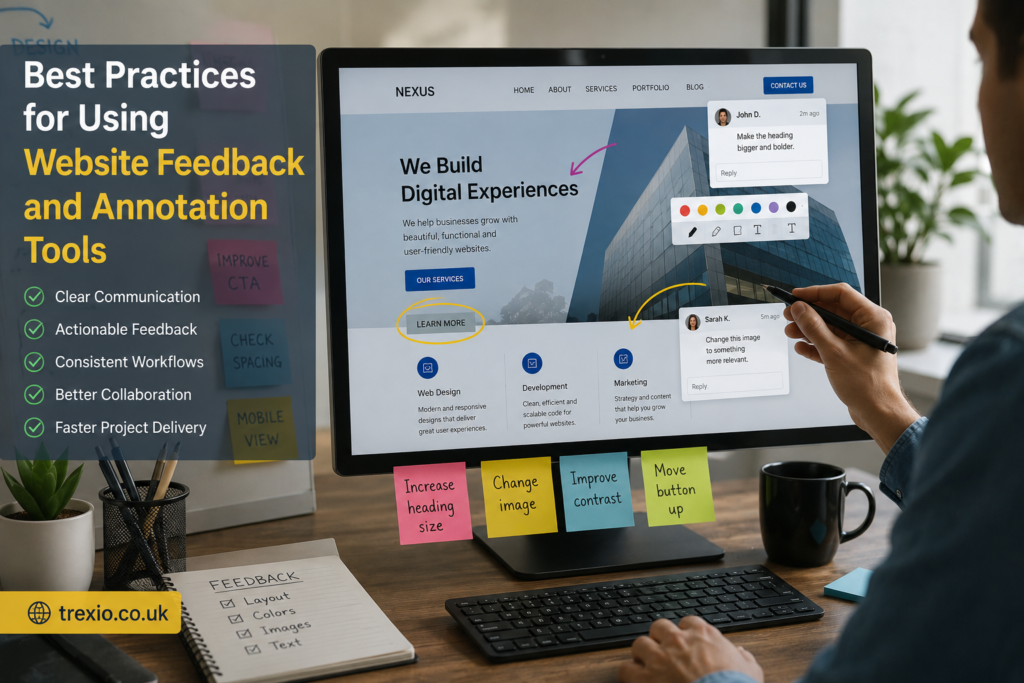
Most annotation tools use browser extensions, embedded scripts, or cloud-based interfaces that overlay feedback directly onto webpages. Users simply activate annotation mode, click on any website element, and leave detailed comments. They can highlight text, draw arrows, mark interface components, or upload supporting screenshots to clarify recommendations. Developers receive notifications with complete context, making issue resolution much faster than interpreting lengthy written descriptions. Since annotations remain attached to their original webpage location, teams avoid confusion when multiple reviewers submit feedback simultaneously. This workflow makes website feedback and annotation tools for web development highly valuable for distributed teams working across different locations and time zones.
Common Annotation Methods
Different platforms provide multiple annotation techniques depending on project requirements. Some focus on simple point-and-click comments, while others include drawing tools, video recordings, voice notes, screen captures, and collaborative whiteboards. Advanced systems also support responsive website testing, allowing reviewers to annotate mobile, tablet, and desktop versions separately. These capabilities help teams identify device-specific design issues before launch. Rich annotation features improve communication while ensuring every stakeholder provides meaningful and actionable feedback during website development.
Key Features Every Feedback Tool Should Include
Choosing the right website feedback and annotation tools for web development requires understanding which features truly improve collaboration rather than adding unnecessary complexity. While interfaces vary between platforms, the most effective solutions share several essential capabilities. These features reduce project delays, improve communication, and simplify issue management across development teams. Organizations should evaluate scalability, ease of use, security, integrations, and reporting capabilities before selecting a platform. Investing in the right feedback solution not only improves workflow efficiency but also enhances the overall quality of delivered websites.
Visual Commenting
Visual commenting is the core feature of modern annotation platforms because it allows users to provide contextual feedback directly on webpage elements. Instead of describing interface locations manually, reviewers simply click where changes are required and leave comments. Developers immediately understand the exact issue without requesting additional clarification. Visual feedback dramatically reduces communication errors while improving collaboration between designers, developers, project managers, and clients.
Screenshot and Screen Recording Support
High-quality screenshots and screen recordings provide additional context for complex website issues. Reviewers can demonstrate animations, navigation problems, loading delays, or interactive bugs more effectively than text descriptions alone. Many website feedback and annotation tools for web development automatically capture browser information alongside screenshots, making technical troubleshooting significantly easier. Video recordings are especially valuable when reproducing user experience issues that occur only under specific conditions.
Task Assignment and Workflow Management
Feedback becomes more valuable when it transforms directly into actionable tasks. Modern platforms allow annotations to be assigned to developers, categorized by priority, tracked through completion stages, and verified after implementation. These workflow features integrate feedback collection with project management, reducing manual administration while improving accountability across development teams.
Types of Website Feedback and Annotation Tools
Different organizations require different types of feedback platforms depending on project complexity, team size, and workflow preferences. Some tools prioritize client collaboration, while others focus on bug tracking, usability testing, design reviews, or Agile development processes. Understanding these categories helps businesses choose solutions that align with their operational requirements. Website feedback and annotation tools for web development continue evolving to support hybrid teams, remote collaboration, and increasingly complex digital projects.
Client Feedback Platforms
Client-focused feedback tools simplify approval processes by allowing non-technical stakeholders to comment directly on websites without needing specialized software. These platforms emphasize ease of use, visual annotations, and simple approval workflows. Clients can review staging websites, request modifications, and monitor implementation progress from a single dashboard. This transparency improves trust while reducing project delays caused by unclear communication.
Developer-Oriented Annotation Tools
Developer-focused platforms include advanced technical reporting features such as browser diagnostics, JavaScript console logs, network requests, device information, and version tracking. These capabilities help engineers reproduce issues quickly while integrating seamlessly with development workflows. Such platforms are particularly valuable for large-scale applications requiring extensive quality assurance and continuous deployment.
Visual Collaboration in Web Development

Visual collaboration has become one of the defining characteristics of successful web development teams. Instead of relying on lengthy documents or disconnected conversations, modern teams collaborate directly on the website itself. Website feedback and annotation tools for web development enable every stakeholder to participate in the review process regardless of their technical expertise. Designers can comment on spacing and typography, developers can explain technical limitations, marketers can suggest conversion improvements, and clients can approve changes in a centralized workspace. This collaborative environment reduces delays caused by unclear instructions and ensures everyone works from the latest version of the project. Visual collaboration also creates an audit trail of decisions, making it easier to understand why specific changes were made during development. As organizations adopt remote and hybrid work models, these platforms have become even more valuable because they allow distributed teams to collaborate efficiently without scheduling frequent meetings. The result is a faster, more transparent, and more productive development process.
Supporting Remote and Hybrid Teams
Remote work has transformed how web development projects are managed, making digital collaboration tools indispensable. Website feedback and annotation tools for web development provide cloud-based workspaces where teams can review websites from any location while maintaining consistent communication. Time zone differences become less problematic because comments remain available for team members to review asynchronously. Notifications, task assignments, and progress tracking ensure that no feedback is overlooked during development. This structured communication model helps organizations maintain productivity even when employees are distributed across multiple countries. Remote collaboration also improves documentation because every discussion is automatically recorded within the platform. Teams spend less time searching through emails or chat histories and more time implementing improvements. Ultimately, these tools help businesses maintain project momentum regardless of where team members are located.
Enhancing Client Approvals
Clients often struggle to communicate website revisions using technical language, leading to confusion and unnecessary revisions. Annotation platforms solve this challenge by allowing clients to click directly on webpage elements and describe desired changes in plain language. Developers immediately understand the request because comments remain attached to specific locations. Approval workflows also allow clients to verify completed tasks before the project moves to the next phase. This transparency builds trust while reducing project delays caused by unclear expectations. Faster approvals contribute to shorter development cycles and improved customer satisfaction. Organizations that prioritize collaborative client experiences often benefit from stronger long-term relationships and increased referrals.
Website Annotation During UI and UX Reviews
User interface (UI) and user experience (UX) reviews require careful attention to detail because even small inconsistencies can affect usability and conversion rates. Website feedback and annotation tools for web development simplify these reviews by allowing stakeholders to evaluate layouts, navigation, accessibility, typography, colors, and interactive components directly within the browser. Designers can identify visual inconsistencies while usability specialists provide recommendations for improving user journeys. Annotated comments eliminate ambiguity because every suggestion references the exact interface element under review. This structured evaluation process helps development teams maintain design consistency across multiple pages and devices. It also supports iterative design improvements without disrupting project workflows. As websites become increasingly interactive, annotation platforms provide an efficient way to evaluate both visual aesthetics and functional performance. Comprehensive UI and UX reviews ultimately lead to more intuitive and engaging digital experiences.
Improving Accessibility Reviews
Accessibility has become a critical component of modern web development, ensuring websites are usable for individuals with diverse abilities. Annotation platforms allow accessibility specialists to highlight issues related to color contrast, keyboard navigation, alternative text, heading structures, and screen reader compatibility. Developers receive precise recommendations with visual references, making compliance improvements more efficient. These collaborative reviews help organizations meet accessibility standards while improving overall usability for all visitors. Accessible websites also expand audience reach and demonstrate a commitment to inclusive digital experiences. Incorporating accessibility reviews into the annotation workflow ensures that usability remains a priority throughout development rather than becoming an afterthought.
Mobile Responsiveness Reviews
Responsive design testing is another area where annotation tools provide significant value. Reviewers can examine websites across smartphones, tablets, laptops, and desktop displays while documenting layout issues unique to each device. Comments remain associated with specific screen sizes, helping developers prioritize responsive fixes efficiently. This organized review process improves consistency across multiple platforms while enhancing the overall user experience.
Bug Tracking Through Website Feedback Platforms
Bug tracking is significantly more effective when integrated directly into visual feedback systems. Rather than submitting separate reports through standalone issue trackers, reviewers can document problems while browsing the website. Website feedback and annotation tools for web development automatically capture browser versions, operating systems, screen resolutions, URLs, and screenshots, providing developers with the technical context necessary to reproduce issues accurately. This automation eliminates incomplete reports and reduces time spent requesting additional information. Once bugs are documented, they can be categorized, prioritized, assigned, and monitored through completion. Centralized tracking improves accountability while ensuring that critical issues receive immediate attention. Efficient bug management contributes to higher website quality, reduced downtime, and improved customer satisfaction following launch.
Prioritizing Website Issues
Not every issue requires immediate resolution, making prioritization essential for efficient development. Annotation platforms allow teams to classify issues according to severity, urgency, and business impact. Critical functionality problems can be addressed before cosmetic improvements, ensuring resources are allocated effectively. Visual dashboards also provide project managers with clear visibility into outstanding tasks and team workloads. Better prioritization reduces bottlenecks while keeping development schedules on track. Organized issue management supports Agile methodologies by allowing teams to resolve the highest-value improvements during each sprint.
Integrating With Project Management Systems
Many organizations use project management software alongside annotation platforms to maintain structured development workflows. Integration allows comments to become actionable tasks within existing systems without requiring duplicate data entry. Developers continue working within familiar environments while project managers retain complete visibility into project progress. These integrations reduce administrative effort and improve consistency across multiple tools. Streamlined workflows ultimately increase productivity while minimizing the risk of overlooked feedback.
Integrating Feedback Tools Into Development Workflows
Successfully implementing website feedback and annotation tools for web development requires thoughtful integration into existing development processes. Organizations should establish clear review stages, define stakeholder responsibilities, and determine how feedback moves from collection to implementation. Annotation platforms work best when combined with Agile methodologies, continuous integration practices, and structured quality assurance procedures. Establishing consistent workflows ensures that comments remain actionable rather than accumulating without resolution. Teams should also define approval processes so completed tasks receive proper verification before deployment. Training both technical and non-technical stakeholders improves adoption while maximizing platform benefits. Well-integrated feedback systems reduce communication delays, improve project transparency, and contribute to higher-quality websites delivered on schedule.
Establishing Review Cycles
Structured review cycles help teams maintain momentum while avoiding overwhelming developers with constant change requests. Many organizations schedule reviews after major milestones such as wireframes, prototypes, staging deployments, and pre-launch testing. Regular review sessions encourage timely feedback while preventing large backlogs from accumulating. Consistent review schedules also improve planning accuracy because stakeholders understand when revisions should be submitted. Organized review cycles contribute to predictable development timelines and smoother project execution.
Comparison of Common Website Feedback and Annotation Tool Categories
| Feature | Client Feedback Tools | Developer Annotation Tools | QA Testing Platforms | Enterprise Collaboration Platforms |
|---|---|---|---|---|
| Primary Users | Clients and Agencies | Developers | QA Teams | Large Organizations |
| Visual Comments | Excellent | Excellent | Good | Excellent |
| Bug Reporting | Basic | Advanced | Excellent | Excellent |
| Browser Diagnostics | Limited | Extensive | Extensive | Extensive |
| Task Assignment | Yes | Yes | Yes | Yes |
| Integrations | Moderate | Extensive | Extensive | Extensive |
| Ease of Use | Very High | High | Moderate | Moderate |
| Best For | Client Reviews | Technical Teams | Software Testing | Enterprise Projects |
Best Practices for Using Website Feedback and Annotation Tools
- Introduce annotation reviews early in the website development lifecycle.
- Define clear responsibilities for reviewers and developers.
- Prioritize feedback according to business impact rather than volume.
- Keep comments specific, actionable, and easy to understand.
- Review both desktop and mobile versions during every testing phase.
- Integrate annotation tools with project management and bug tracking software.
- Archive completed feedback to maintain organized project documentation.
- Encourage clients to provide consolidated feedback instead of multiple isolated review sessions.
- Schedule recurring review cycles to maintain consistent project progress.
- Analyze recurring feedback trends to improve future development processes.
Common Mistakes to Avoid
| Mistake | Why It Causes Problems | Better Approach |
|---|---|---|
| Providing vague comments | Developers cannot identify issues quickly | Annotate exact webpage elements |
| Mixing unrelated feedback | Confuses priorities | Submit one issue per annotation |
| Ignoring mobile testing | Responsive issues remain unresolved | Review every device size |
| Skipping approval workflows | Changes may be deployed prematurely | Verify completed tasks before release |
| Using too many communication channels | Information becomes fragmented | Centralize feedback in one platform |
| Delaying reviews | Small issues become larger problems | Review websites regularly throughout development |
| Not assigning responsibilities | Feedback remains unresolved | Assign every task to an owner |
Pro Tips
- Create standardized annotation guidelines for all reviewers.
- Use screenshots together with written explanations for complex issues.
- Categorize comments by design, functionality, SEO, accessibility, and performance.
- Review staging environments before production deployment.
- Track recurring issues to improve development processes over time.
- Combine website annotation with usability testing sessions.
- Encourage clients to review complete user journeys rather than isolated pages.
- Use reporting dashboards to measure response times and issue resolution rates.
- Periodically evaluate whether your chosen feedback platform continues meeting business needs.
- Continuously train team members on effective collaboration and documentation practices.
Conclusion
Choosing the right website feedback and annotation tools for web development can dramatically improve communication, reduce revision cycles, and increase overall project efficiency. By allowing designers, developers, QA specialists, marketers, and clients to collaborate directly on webpages, these platforms eliminate ambiguity and create a more transparent development process. Their ability to combine visual annotations, automated technical information, task management, and workflow integrations makes them valuable assets for organizations of every size. Whether your goal is improving user experience, accelerating bug resolution, streamlining client approvals, or enhancing remote collaboration, implementing structured feedback systems contributes directly to higher-quality websites. As digital projects continue growing in complexity, organizations that embrace collaborative annotation workflows will be better positioned to deliver reliable, accessible, and user-friendly web experiences while maintaining efficient development timelines.
Frequently Asked Questions (FAQs)
1. What are website feedback and annotation tools for web development?
They are software platforms that allow users to leave visual comments, annotations, screenshots, and bug reports directly on webpages to improve collaboration during website development.
2. Who uses website annotation tools?
Developers, designers, QA testers, project managers, digital marketers, clients, and business stakeholders commonly use these platforms.
3. Can annotation tools improve development speed?
Yes. By providing contextual feedback directly on webpage elements, developers spend less time clarifying issues and more time implementing solutions.
4. Are website annotation tools suitable for remote teams?
Absolutely. Cloud-based collaboration enables distributed teams to review, discuss, and resolve website issues regardless of location.
5. Do these tools help with bug reporting?
Yes. Most platforms automatically capture browser information, operating systems, URLs, screenshots, and other technical details to simplify bug reproduction.
6. Can clients use website feedback platforms without technical knowledge?
Yes. Most client-focused platforms are designed with simple interfaces that allow non-technical users to provide accurate visual feedback.
7. Should annotation tools integrate with project management software?
Integration is highly recommended because it converts feedback directly into actionable tasks while maintaining organized development workflows.
8. Are annotation tools useful for accessibility testing?
Yes. Accessibility specialists can document compliance issues directly on webpages, making improvements easier for development teams to implement.
9. What features should businesses prioritize?
Visual commenting, task assignment, screenshot support, browser diagnostics, workflow integrations, reporting, and responsive testing are among the most valuable features.
10. Why are website feedback and annotation tools for web development important?
They improve collaboration, reduce communication errors, accelerate revisions, simplify bug tracking, enhance client satisfaction, and contribute to the delivery of higher-quality websites.
Author Bio
About the Author
The author is an experienced technology and SEO content writer specializing in web development, digital collaboration, SaaS platforms, software reviews, and emerging technology trends. With extensive knowledge of modern development workflows and search engine optimization, the author creates practical, research-driven content that helps businesses, developers, and website owners make informed technology decisions while following Google’s EEAT and Helpful Content guidelines.