
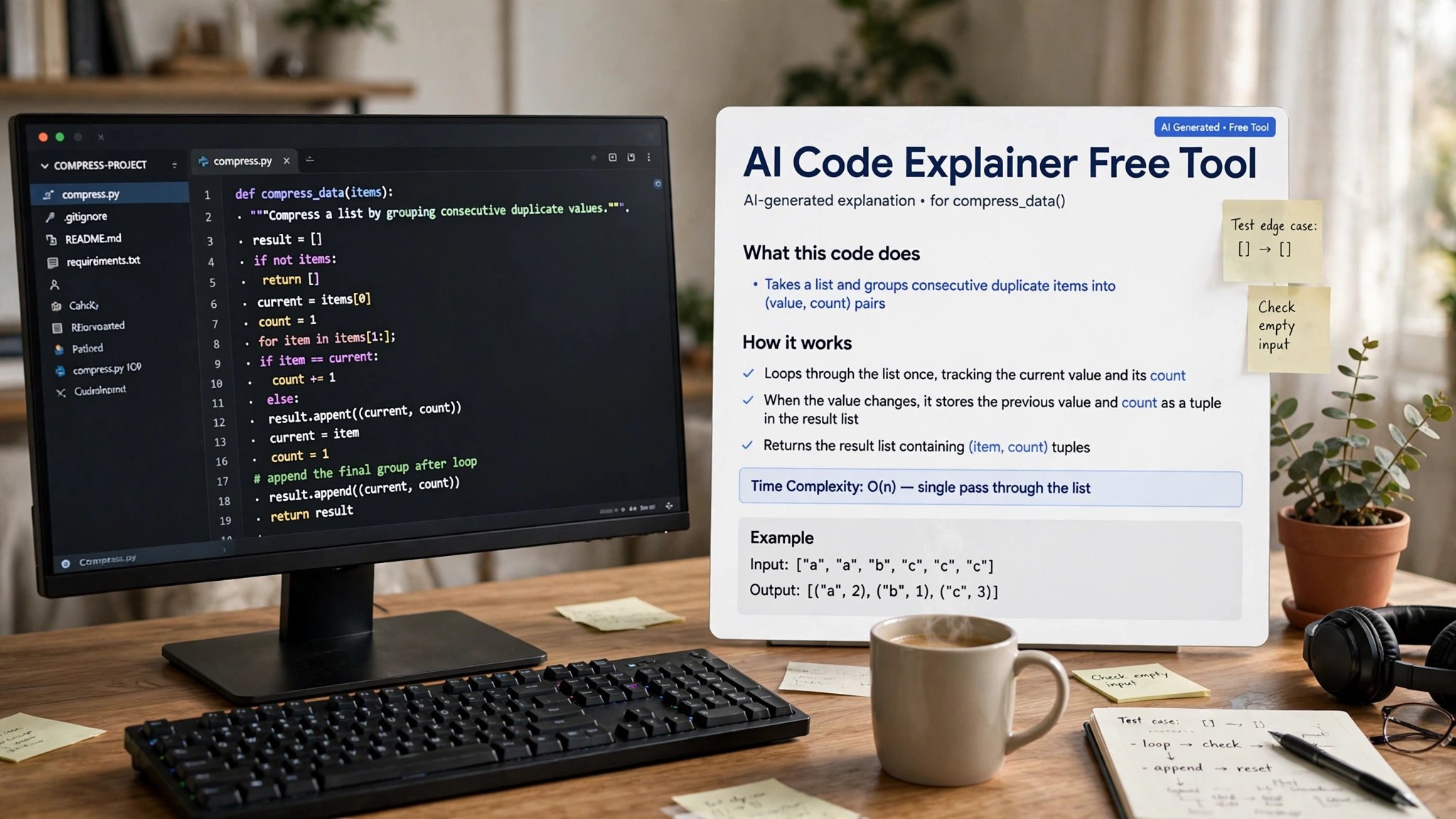
Every developer eventually opens a file they did not write and feels lost: a legacy module with no comments, a library with cryptic documentation, or a forum snippet that almost solves the problem. Reading unfamiliar code is one of the hardest parts of programming, and it is where an AI code explainer free tool can make the biggest difference. Paste in the confusing code, and within seconds you get a plain-English walkthrough of what it does and why.
In 2026, explaining code is one of the most reliable things AI assistants do, and several genuinely free tools handle it well. This guide covers the best options, from chatbots to editor integrations and browser explainers, with honest notes on limits.
Table of Contents
Why Understanding Code Matters More Than Writing It
Professional developers spend far more time reading code than writing it. Comprehension, debugging, and onboarding consume the majority of most work weeks, while typing fresh code is a smaller slice. This is why tools that explain code often deliver more value than tools that merely generate it. A clear explanation of a tangled function can unblock hours of confusion in a single reading.
AI explainers are particularly good at this because explanation is a language task rather than a precision task. Generating correct code requires exact syntax, but explaining code plays to the model’s strength with natural language. In practice, this means even free tools give remarkably useful walkthroughs of unfamiliar logic. The faster you can understand existing code, the faster you can improve it, debug it, or learn from it.
General AI Chatbots: The Simplest Starting Point
The easiest free code explainer is the chatbot you already use. ChatGPT, Claude, and Gemini all have free tiers that accept pasted code and return clear explanations in seconds. Just paste the snippet and ask what it does, why it works, or what a particular line means. For learning purposes, this workflow is hard to beat: no installation, no setup, and the models handle most everyday code with ease.
Free chatbot tiers have usage caps and length limits, so split very long files into chunks. More importantly, pasting proprietary code into a public chatbot is a privacy risk, so keep this method for personal projects and open-source code. Within those boundaries, a general chatbot is a surprisingly capable free explainer and the fastest option for a quick one-off question.
GitHub Copilot Chat: Explanations Inside Your Editor
If you already work in VS Code or JetBrains, GitHub Copilot Chat brings code explanation directly into your editor. Select any block and ask what it does, or use the built-in /explain command for a structured breakdown. Because Copilot can see your project context, its explanations can reference how the selected code connects to surrounding files, which a bare chatbot cannot do. This makes it especially useful for navigating codebases where functions call each other across many modules.
The free tier includes 50 Copilot Chat messages per month with no credit card required, which covers daily one-off explanations but runs out fast if you interrogate every function. Students, verified teachers, and active open-source maintainers can get Copilot Pro free through GitHub Education. Everyone else should reserve the free allowance for the genuinely confusing moments.
Codeium’s Explain Feature: Step-by-Step in Plain English
Codeium’s free tier includes a dedicated Explain feature that walks through selected code step by step, describing what each part does and how the pieces fit together. It supports more than seventy programming languages and can respond in different languages, a genuine advantage for developers who think more comfortably in their native tongue than in English. The feature lives inside the editors Codeium supports, so explanations appear without leaving your workflow.
Codeium’s free tier is unlimited, so you can explain as much as you like. Independent tests from 2026 rate its explanations strong for everyday functions and moderately complex logic. For the common case of a single confusing function or an unfamiliar pattern, Codeium’s free Explain feature is one of the most generous options available, and it needs nothing more than installing the extension.
Browser-Based Tools: Explain Code Without Installing Anything
If you do not want to install an editor plugin, several browser-based tools explain code from a simple paste box. NexusAI’s free code explainer is a good example: paste JavaScript, Python, TypeScript, Go, Rust, Java, or SQL into the page and receive an instant plain-English explanation, with no signup and no stored data. Tools like this are ideal for students on shared computers and for quick checks during code review.
The trade-off is context. A browser tool sees only the snippet you paste, so it cannot follow imports into other files or know your project’s conventions. Include the relevant surrounding lines when a function’s meaning depends on them. Also remember that anything you paste into a web tool leaves your machine, so this route suits public code and learning exercises rather than company secrets.
ExplainMyCode: Structured Explanations for Serious Users
ExplainMyCode takes a more engineered approach. Instead of conversational answers, it returns structured analysis: a summary, the code’s purpose, dependencies, complexity notes, detected issues, and a function-by-function breakdown. It currently supports JavaScript, TypeScript, Python, Java, Solidity, PHP, and Ruby, with more languages reportedly on the way. Its security mode looks for common vulnerabilities like SQL injection and cross-site scripting, attaching severity ratings to each finding.
The free offering is a limited trial, with paid plans starting around $9 per month for one hundred analyses. That makes it a tool to evaluate rather than adopt for free long-term, but the structured output suits teams that need consistent, parseable analysis instead of chatty prose. If explanations must feed documentation pipelines or review checklists, this format is a better fit.
DeepSeek and Open Models: Budget Power for Explanations
For developers comfortable with a little setup, open models offer explanation power at near-zero cost. DeepSeek’s API pricing is a fraction of a dollar per million tokens, and the model is widely praised for explaining not just what code does but why it behaves the way it does. Hugging Face’s inference API is free for many models, including code-specialized ones like Qwen’s coder variants, and pairing one with a free extension gives you a genuinely zero-cost workflow.
This route suits tutors, technical writers, and developers onboarding into huge legacy systems. You can script batch explanations of entire directories and pay only raw inference cost. The effort is front-loaded: keys, endpoints, and a bit of scripting. But once running, it is the cheapest scalable way to get high-quality explanations, and you control the model, the prompts, and the privacy story end to end.
How to Choose the Best AI Code Explainer Free Tool in 2026
Good explanations start with good context: paste the full function rather than a fragment, and mention the language and what the code is supposed to achieve if you know it. Asking “explain this Python function that validates email addresses” produces a far better answer than “explain this.” When the answer is too shallow, follow up with “explain it like I am a beginner” or “walk through what happens when the input is invalid.”
Questions like why a set was used instead of a list turn a surface summary into genuine understanding. This habit also catches mistakes: AI explanations are usually right but can confidently misread unusual code, so verify anything critical. Treat the explainer as a brilliant tutor, not an oracle.
A Practical Workflow for Reading Unfamiliar Code
Start by skimming the code yourself for thirty seconds. Then paste the confusing section into your chosen explainer, and map its summary back onto the code line by line. If something does not add up, that is exactly where you should ask a follow-up question or check the tests.
For larger files, work from the outside in: explain the public functions first, then drill into the helpers. Pair the explainer with your editor’s go-to-definition so you can jump between referenced files. Students can explain a function themselves first, then compare with the AI’s version. The comparison exposes what you missed and cements the pattern in memory far better than passive reading.
Free AI code explainers have quietly become one of the most useful categories of developer tooling. A general chatbot answers one-off questions in seconds, Copilot Chat and Codeium explain code inside your editor, browser tools like NexusAI need no installation, ExplainMyCode adds structured analysis, and open models give you batch power for almost nothing. Pick one that fits how you work, paste thoughtfully, and verify the important parts.
Keep learning: pair this guide with our best free AI pair programming tool 2026 roundup for a second pair of hands at the keyboard, and bookmark our best AI debugging tool free picks for when explanations turn into bug hunts. The AI code explainer free tool you choose should support the languages you read most — Wikipedia’s source code article is a handy refresher on what the machine actually runs.