
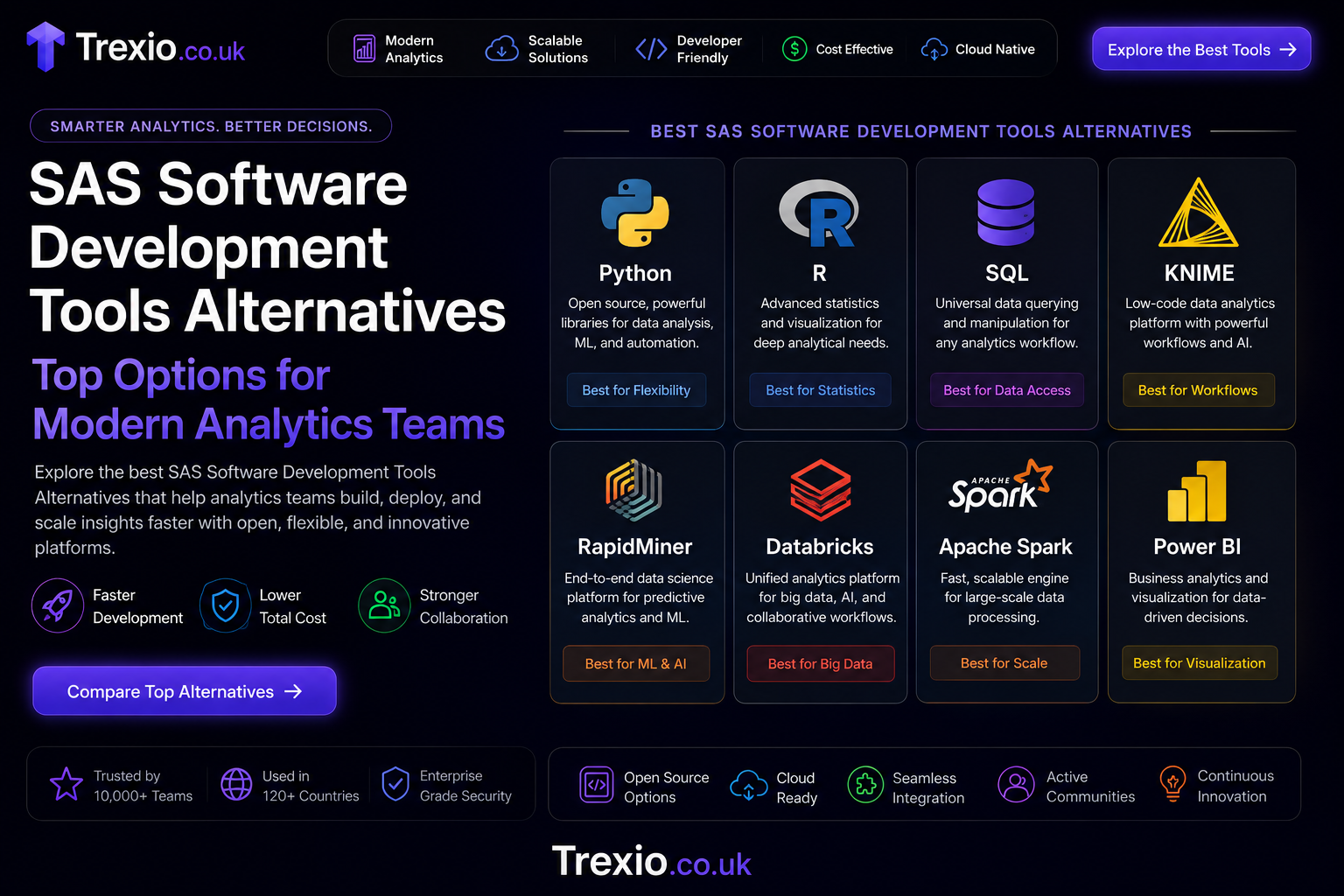
Organizations have relied on SAS for decades to perform advanced analytics, statistical modeling, business intelligence, and enterprise reporting. While the platform remains powerful, many companies now search for SAS software development tools alternatives because of licensing costs, deployment complexity, cloud migration requirements, and the growing popularity of open-source technologies. Modern development teams want tools that integrate with cloud-native infrastructure, support artificial intelligence, automate workflows, and enable collaboration between developers, analysts, and business users. As data volumes continue to expand, organizations also require flexible platforms capable of processing structured and unstructured information efficiently. This shift has encouraged businesses of every size to evaluate new analytics ecosystems that offer similar—or even broader—capabilities than SAS. Whether you’re building predictive models, managing enterprise data pipelines, or developing machine learning applications, today’s market provides numerous competitive solutions. Choosing the right platform depends on your organization’s technical expertise, scalability requirements, budget, compliance standards, and long-term digital transformation goals. This guide explores the leading SAS software development tools alternatives, explains their strengths, and helps you understand which solution best matches your analytics strategy.
Quick Answer
If you’re looking for SAS software development tools alternatives, the strongest options include Python, R, Apache Spark, KNIME, RapidMiner, MATLAB, Alteryx, Databricks, IBM SPSS, and Microsoft Azure Machine Learning. These platforms support statistical analysis, machine learning, predictive analytics, data visualization, and enterprise automation while offering varying levels of flexibility, pricing, and technical complexity. Open-source tools like Python and R provide maximum customization, whereas commercial platforms emphasize user-friendly interfaces and enterprise support. The ideal alternative depends on your team’s experience, project requirements, cloud infrastructure, and business objectives. Evaluating integration capabilities, scalability, security, automation features, and community support will help identify the most effective SAS software development tools alternatives for your organization.
Why Organizations Are Looking for SAS Software Development Tools Alternatives
Many enterprises invested heavily in SAS over the years because it offered a complete ecosystem for statistical computing and enterprise analytics. However, business priorities have evolved significantly as cloud computing, artificial intelligence, and open-source development became mainstream. Organizations now prioritize flexible licensing models, API-first architectures, collaborative development environments, and continuous integration workflows. Traditional software licensing costs can become substantial as teams expand, prompting businesses to seek more cost-effective analytics solutions. Companies also want platforms that seamlessly integrate with Kubernetes, Docker, Git repositories, cloud data warehouses, and modern DevOps pipelines. Data scientists increasingly prefer programming languages like Python and R because of their extensive machine learning libraries and active developer communities. Another factor driving migration is faster innovation, as open-source ecosystems release new frameworks much more frequently than proprietary software vendors. These changing requirements explain why more organizations continue evaluating SAS software development tools alternatives that better align with modern software development practices and digital transformation initiatives.
Key Drivers Behind the Shift
Lower Total Cost of Ownership
Software licensing remains one of the biggest reasons organizations migrate away from proprietary analytics platforms. Many alternatives reduce recurring expenses while providing comparable statistical capabilities. Open-source ecosystems eliminate licensing fees altogether, allowing organizations to invest more in infrastructure, talent, and innovation. Lower ownership costs also make advanced analytics accessible to startups, educational institutions, and mid-sized businesses. As budgets become tighter, organizations increasingly prioritize solutions offering predictable operational expenses. These financial advantages make SAS software development tools alternatives particularly attractive for growing enterprises.
Better Cloud Integration
Cloud-native development has fundamentally changed how businesses deploy analytics platforms. Modern tools integrate directly with AWS, Microsoft Azure, Google Cloud Platform, Snowflake, Databricks, and container orchestration technologies. This integration enables automatic scaling, distributed computing, and easier infrastructure management. Teams can deploy models faster while maintaining security and governance standards. Cloud compatibility also improves disaster recovery and global collaboration. Organizations adopting hybrid or multi-cloud strategies often find newer analytics platforms better suited for their infrastructure than traditional on-premises environments.
Expanding AI and Machine Learning Ecosystems
Artificial intelligence evolves rapidly, requiring access to constantly improving frameworks and libraries. Python ecosystems include TensorFlow, PyTorch, Scikit-learn, XGBoost, LightGBM, Hugging Face, and hundreds of specialized machine learning packages. These libraries allow developers to implement cutting-edge algorithms without waiting for vendor-specific updates. Businesses can experiment more quickly while benefiting from global research communities. The rapid innovation cycle significantly contributes to the growing popularity of SAS software development tools alternatives across industries.
What Makes a Strong SAS Alternative?
Not every analytics platform can fully replace SAS. The best alternatives combine statistical capabilities with software engineering features, cloud scalability, automation, visualization, and enterprise governance. Organizations should evaluate technical capabilities rather than focusing solely on software popularity. Successful migration requires matching business requirements with platform strengths. Security, compliance, automation, collaboration, and long-term maintainability all influence platform selection. Modern analytics environments should support both technical developers and business analysts without creating unnecessary complexity. A balanced evaluation ensures organizations maximize return on investment while reducing operational risks. Understanding these criteria simplifies the selection of effective SAS software development tools alternatives.
Essential Evaluation Criteria
| Feature | Why It Matters |
|---|---|
| Statistical Analysis | Supports advanced modeling and hypothesis testing |
| Machine Learning | Enables predictive analytics and AI applications |
| Cloud Compatibility | Simplifies deployment and scaling |
| Data Integration | Connects multiple enterprise data sources |
| Automation | Improves workflow efficiency |
| Visualization | Helps communicate analytical insights |
| Security | Protects enterprise data and compliance |
| Community Support | Accelerates troubleshooting and innovation |
Python as One of the Leading SAS Software Development Tools Alternatives
Python has become the industry’s most widely adopted programming language for analytics, artificial intelligence, automation, and software development. It combines simplicity with exceptional flexibility, making it suitable for beginners and experienced developers alike. Python’s extensive ecosystem includes libraries for statistical analysis, machine learning, visualization, deep learning, natural language processing, and data engineering. Developers can build complete analytics pipelines using Pandas, NumPy, Scikit-learn, TensorFlow, Matplotlib, Plotly, and many other libraries. Integration with cloud platforms, APIs, databases, and DevOps tools makes Python a highly scalable enterprise solution. Organizations also benefit from continuous innovation driven by one of the world’s largest open-source communities. Educational resources, tutorials, and documentation further reduce adoption barriers. These advantages consistently place Python among the top SAS software development tools alternatives available today.
Major Strengths of Python
Rich Open-Source Ecosystem
Python’s greatest advantage is its enormous collection of libraries supporting virtually every analytics discipline. Developers rarely need to build algorithms from scratch because mature packages already exist for most use cases. Community-driven development ensures frequent updates and rapid bug fixes. Organizations gain access to cutting-edge AI innovations almost immediately after publication. This flexibility supports continuous business innovation while reducing software development time. The vibrant ecosystem remains one of the strongest reasons organizations replace SAS with Python.
Excellent Enterprise Integration
Python connects easily with enterprise databases, cloud platforms, REST APIs, message queues, data lakes, and workflow orchestration tools. Integration simplifies end-to-end analytics pipelines while supporting scalable software architecture. Development teams can automate reporting, deploy predictive models, and integrate machine learning into production systems efficiently. Python also works exceptionally well alongside containerized deployments and CI/CD pipelines. These capabilities make it one of the most practical SAS software development tools alternatives for modern enterprises.
R Programming for Advanced Statistical Computing
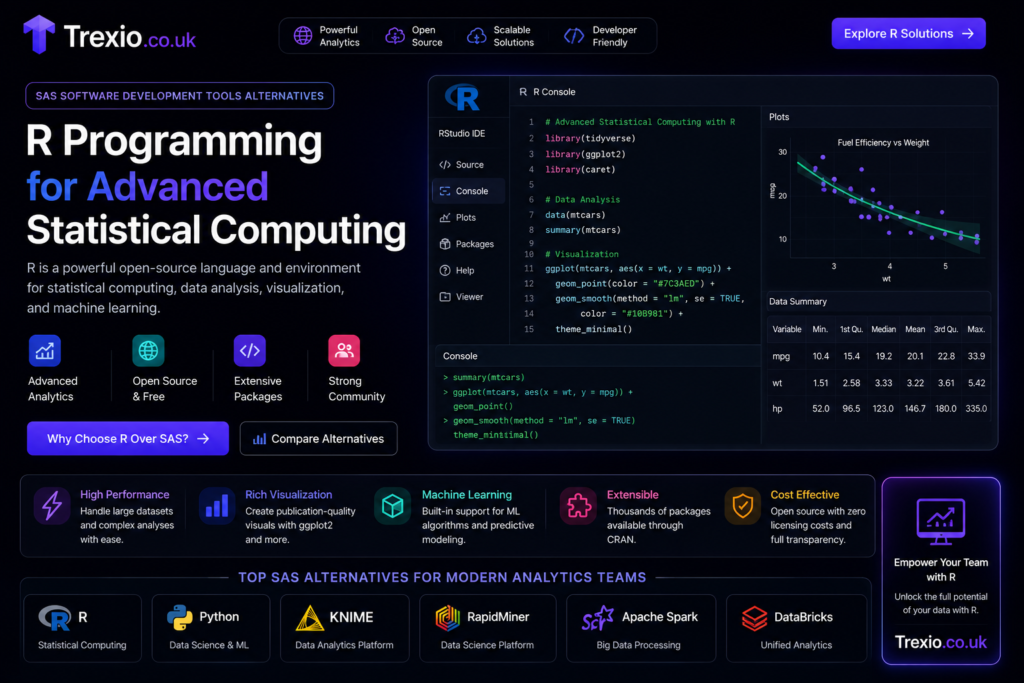
R remains one of the most respected statistical computing languages in academic research, healthcare, pharmaceutical development, economics, and scientific analysis. Unlike general-purpose programming languages, R was specifically designed for statistical modeling and data visualization. Researchers appreciate its extensive package ecosystem for regression analysis, survival analysis, clustering, forecasting, Bayesian modeling, and experimental design. Data visualization packages such as ggplot2 produce publication-quality graphics with relatively little code. Universities worldwide continue teaching R because of its strong statistical foundations and reproducible research capabilities. Integration with notebooks, cloud services, and version control platforms has also improved significantly over recent years. Organizations focused heavily on statistical accuracy frequently consider R among the strongest SAS software development tools alternatives available.
Where R Excels
Statistical Research
Complex statistical procedures remain one of R’s greatest strengths. Analysts performing epidemiological studies, pharmaceutical trials, economic forecasting, and academic research benefit from thousands of specialized statistical packages. These libraries undergo extensive peer review and continuous updates from global research communities. Researchers can reproduce experiments consistently while maintaining transparent analytical workflows. Such capabilities make R particularly valuable in regulated industries requiring rigorous statistical validation.
Data Visualization
R provides exceptional visualization capabilities through packages like ggplot2, Shiny, and Plotly. Analysts can create interactive dashboards, advanced charts, scientific figures, and executive reports that communicate analytical insights effectively. High-quality visualization enhances decision-making while improving stakeholder understanding of complex datasets. Interactive dashboards also simplify exploratory data analysis for non-technical users. These strengths continue driving adoption of R as one of the preferred SAS software development tools alternatives.
Apache Spark for Large-Scale Data Processing
As enterprise datasets continue growing into terabytes and petabytes, distributed computing becomes increasingly important. Apache Spark addresses this challenge by enabling parallel data processing across multiple computing nodes. Rather than processing information sequentially, Spark distributes workloads efficiently, dramatically improving analytics performance. Organizations handling financial transactions, IoT sensor streams, customer behavior data, telecommunications records, and large-scale machine learning projects benefit significantly from Spark’s architecture. Integration with Python, Scala, Java, SQL, and cloud platforms increases development flexibility while supporting enterprise-scale deployments. Spark also powers numerous modern analytics platforms, making it a foundational technology for big data ecosystems. These characteristics position Spark among the most scalable SAS software development tools alternatives for organizations processing massive datasets.
Core Benefits of Apache Spark
| Capability | Business Benefit |
|---|---|
| Distributed Computing | Faster analytics on massive datasets |
| In-Memory Processing | Improved performance compared to disk processing |
| Machine Learning Libraries | Simplifies predictive modeling |
| SQL Support | Familiar querying for analysts |
| Cloud Integration | Supports scalable infrastructure |
| Streaming Analytics | Enables real-time data processing |
KNIME: A Low-Code Analytics Platform for Business Users
KNIME has earned a strong reputation among organizations seeking a visual workflow platform that reduces coding requirements while maintaining advanced analytical capabilities. Instead of writing lengthy scripts, users create workflows by connecting nodes that represent different data processing tasks, statistical operations, and machine learning algorithms. This visual approach accelerates development while making complex analytics easier to understand and maintain. KNIME supports integration with Python, R, SQL, Apache Spark, and numerous enterprise databases, allowing technical teams to extend workflows whenever necessary. Businesses appreciate the balance between accessibility and flexibility, enabling analysts and developers to collaborate on the same projects. Built-in automation features simplify repetitive tasks, while reusable workflows improve consistency across departments. KNIME’s open architecture also supports cloud deployment, API integrations, and enterprise governance. These strengths make it one of the most practical SAS software development tools alternatives for organizations looking to combine low-code development with enterprise-grade analytics.
Advantages of KNIME
Visual Workflow Development
KNIME’s drag-and-drop interface minimizes manual coding while allowing users to design sophisticated analytical workflows. This approach reduces onboarding time for new analysts and encourages collaboration between technical and non-technical stakeholders. Teams can quickly visualize data flows, making troubleshooting and optimization significantly easier. Workflow reusability also improves operational efficiency and standardization. Organizations transitioning from traditional analytics platforms often appreciate this intuitive development experience.
Extensive Integration Options
KNIME connects seamlessly with cloud storage, relational databases, machine learning frameworks, and business intelligence tools. Developers can incorporate Python or R scripts whenever advanced customization is required. These integration capabilities help organizations modernize existing analytics ecosystems without replacing every component simultaneously. Such flexibility strengthens KNIME’s position among leading SAS software development tools alternatives.
RapidMiner for Enterprise Machine Learning
RapidMiner is designed to simplify machine learning, predictive analytics, and automated model development for organizations of all sizes. The platform provides visual workflow design combined with advanced AI capabilities, allowing data scientists and business analysts to collaborate effectively. Automated machine learning features reduce development time by selecting suitable algorithms, tuning parameters, and evaluating model performance. RapidMiner also emphasizes explainable AI, helping organizations understand how predictive models generate decisions. Integration with cloud platforms, enterprise databases, and external APIs ensures compatibility with modern infrastructure. Teams can deploy predictive models efficiently while maintaining governance and compliance standards. Built-in collaboration features further improve project management across departments. These capabilities make RapidMiner a compelling choice among SAS software development tools alternatives.
Ideal Use Cases
Predictive Analytics
Organizations use RapidMiner to forecast customer behavior, identify operational risks, detect fraud, and optimize marketing campaigns. Automated workflows accelerate experimentation while maintaining reproducibility. This efficiency helps businesses make faster, data-driven decisions.
AutoML Capabilities
RapidMiner’s automated machine learning functions enable organizations to build high-quality models with minimal manual intervention. Businesses benefit from shorter development cycles while maintaining reliable analytical outcomes. These automation features make the platform especially valuable for teams with limited data science resources.
Databricks for Unified Data and AI
Databricks has become a leading unified analytics platform by combining data engineering, machine learning, business intelligence, and collaborative development into a single cloud-native environment. Built on Apache Spark, Databricks offers exceptional scalability while supporting structured, semi-structured, and unstructured data processing. Data engineers, analysts, and machine learning specialists can collaborate within shared notebooks and centralized workspaces, reducing communication barriers across teams. The platform integrates seamlessly with major cloud providers, enabling organizations to scale workloads dynamically based on demand. Advanced governance tools improve security, compliance, and data lineage, making Databricks suitable for regulated industries. Built-in support for AI model lifecycle management further strengthens its enterprise capabilities. As organizations modernize analytics infrastructure, Databricks continues to emerge as one of the most advanced SAS software development tools alternatives.
Enterprise Benefits
Collaborative Development
Shared notebooks allow multiple team members to contribute to analytics projects simultaneously while maintaining version history and reproducibility. This collaborative environment accelerates innovation and simplifies knowledge sharing across departments.
Lakehouse Architecture
Databricks combines data lakes and data warehouses into a unified architecture, enabling organizations to store massive datasets while supporting high-performance analytics. This approach reduces infrastructure complexity and improves overall data accessibility.
IBM SPSS as a Statistical Analytics Alternative
IBM SPSS remains a trusted solution for organizations focused on statistical analysis, survey research, and predictive modeling. It provides an intuitive graphical interface that allows users to perform sophisticated analyses without extensive programming knowledge. Researchers in healthcare, education, government, and social sciences continue relying on SPSS because of its robust statistical procedures and reporting capabilities. Integration with Python and R expands analytical flexibility while preserving familiar workflows. Organizations requiring validated statistical methods and regulatory compliance often prefer SPSS for mission-critical projects. Its extensive documentation and enterprise support further contribute to long-term reliability. Although different from open-source ecosystems, SPSS continues to compete effectively among SAS software development tools alternatives.
Microsoft Azure Machine Learning
Azure Machine Learning enables organizations to build, train, deploy, and monitor AI models using Microsoft’s cloud ecosystem. The platform supports automated machine learning, MLOps, model versioning, and enterprise-scale deployment pipelines. Developers can integrate Python frameworks, TensorFlow, PyTorch, and ONNX while leveraging Azure’s extensive cloud infrastructure. Security features, identity management, and compliance certifications make the platform attractive for enterprise environments. Automated deployment and monitoring simplify production AI management while reducing operational overhead. Businesses already invested in Microsoft technologies often find Azure Machine Learning a natural evolution from traditional analytics platforms. Its cloud-native architecture positions it among the strongest SAS software development tools alternatives available today.
Comparison of Leading SAS Software Development Tools Alternatives
| Tool | Best For | Coding Required | Cloud Support | AI & ML | Enterprise Scalability |
|---|---|---|---|---|---|
| Python | Data Science & AI | High | Excellent | Excellent | Excellent |
| R | Statistical Computing | Medium | Very Good | Excellent | Very Good |
| Apache Spark | Big Data Processing | High | Excellent | Excellent | Excellent |
| KNIME | Low-Code Analytics | Low | Excellent | Very Good | Very Good |
| RapidMiner | AutoML | Low | Very Good | Excellent | Very Good |
| Databricks | Unified Analytics | Medium | Excellent | Excellent | Excellent |
| IBM SPSS | Statistical Research | Low | Good | Very Good | Good |
| Azure Machine Learning | Cloud AI | Medium | Excellent | Excellent | Excellent |
How to Choose the Right SAS Software Development Tools Alternatives
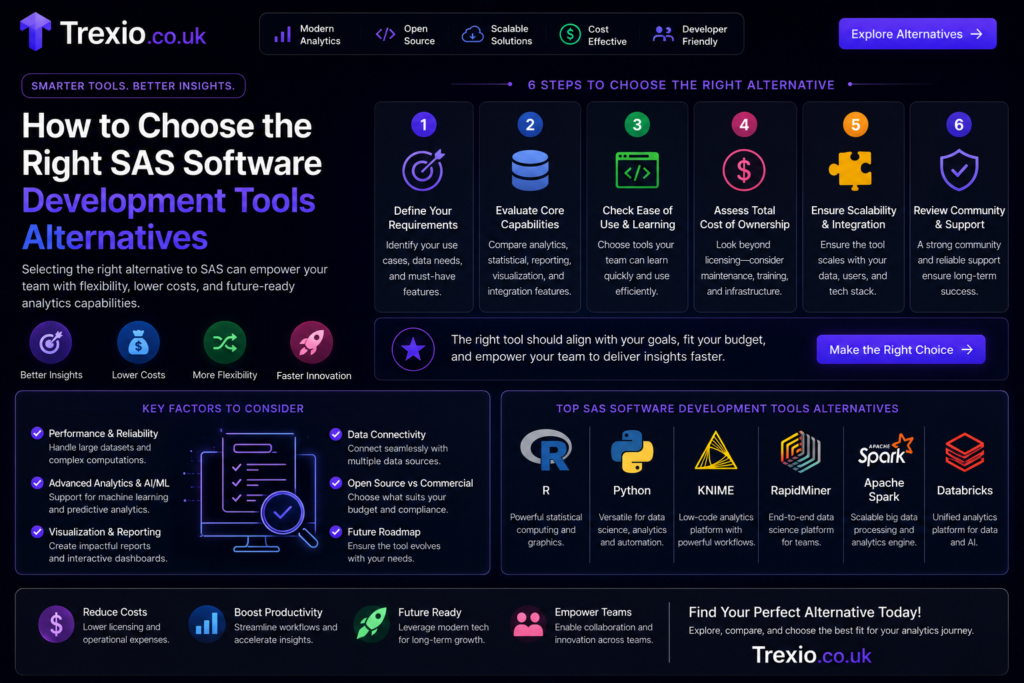
Selecting the best analytics platform requires more than comparing feature lists. Organizations should begin by identifying business objectives, technical expertise, regulatory requirements, infrastructure preferences, and future growth expectations. Companies with experienced software engineers may benefit from open-source ecosystems like Python or Apache Spark, while organizations seeking rapid adoption may prefer visual platforms such as KNIME or RapidMiner. Existing cloud investments should also influence platform selection because seamless integration reduces migration complexity and operational costs. Security, governance, automation, scalability, and vendor support should all be evaluated carefully before making long-term commitments. Teams should conduct pilot projects using real business data to assess performance under practical conditions. Considering both short-term implementation and long-term maintainability helps organizations maximize return on investment. This structured evaluation process ensures businesses choose SAS software development tools alternatives that align with strategic objectives.
Best Practices for Migrating from SAS
- Perform a complete assessment of existing SAS workflows before migration.
- Prioritize platforms that integrate with your current cloud infrastructure.
- Train analytics teams on new technologies before full deployment.
- Validate migrated models against historical results for accuracy.
- Automate testing to ensure consistent analytical performance.
- Maintain detailed documentation throughout the migration process.
- Implement role-based access controls to protect sensitive information.
- Continuously monitor performance after deployment and optimize workflows regularly.
Common Mistakes to Avoid
- Choosing a platform based solely on licensing costs.
- Ignoring employee training requirements during migration.
- Migrating all workloads simultaneously instead of using phased implementation.
- Underestimating integration complexity with legacy systems.
- Overlooking governance, compliance, and security requirements.
- Failing to benchmark model accuracy before production deployment.
- Neglecting backup and rollback strategies during migration.
- Assuming every open-source solution automatically reduces operational costs.
Pro Tips
- Start with one high-impact analytics project before migrating all workloads.
- Combine open-source tools with enterprise platforms when appropriate.
- Build reusable workflows to improve long-term efficiency.
- Standardize coding practices across analytics teams.
- Use version control systems for every analytics project.
- Invest in automated monitoring for production machine learning models.
- Continuously update analytical libraries to benefit from new innovations.
- Evaluate community support alongside commercial vendor assistance.
Conclusion
The analytics landscape has evolved dramatically, giving organizations far more flexibility than ever before. While SAS remains a respected enterprise platform, today’s businesses increasingly demand cloud-native infrastructure, open ecosystems, automation, collaborative development, and scalable AI capabilities. Fortunately, there are numerous SAS software development tools alternatives that meet these expectations while offering competitive performance and lower long-term operational costs. Python and R dominate open-source analytics, Apache Spark powers large-scale data processing, Databricks delivers unified cloud analytics, and platforms like KNIME, RapidMiner, IBM SPSS, and Azure Machine Learning address specialized enterprise requirements. Each solution offers unique strengths, making careful evaluation essential before migration. By considering scalability, integration, governance, security, and organizational expertise, businesses can confidently select a platform that supports both current analytical needs and future innovation. Investing time in planning, testing, and user training will ensure a successful transition while maximizing the value of modern analytics technologies.
Frequently Asked Questions
1. What are the best SAS software development tools alternatives?
Python, R, Apache Spark, KNIME, RapidMiner, Databricks, IBM SPSS, MATLAB, Alteryx, and Azure Machine Learning are among the most popular alternatives.
2. Is Python better than SAS?
Python offers greater flexibility, a larger open-source ecosystem, and lower costs, while SAS continues to excel in regulated enterprise environments.
3. Can I replace SAS completely?
Yes. Many organizations successfully replace SAS with a combination of Python, Spark, cloud analytics platforms, and visualization tools depending on their business needs.
4. Which alternative is best for machine learning?
Python, Databricks, Azure Machine Learning, and RapidMiner are excellent choices for machine learning and artificial intelligence projects.
5. Is R still relevant for analytics?
Absolutely. R remains one of the leading languages for statistical computing, research, and advanced data visualization.
6. Which platform is easiest for beginners?
KNIME and RapidMiner offer visual interfaces that simplify analytics development for users with limited programming experience.
7. Are open-source alternatives secure for enterprises?
Yes. When properly configured with enterprise security controls, open-source platforms can meet stringent security and compliance requirements.
8. Which tool handles massive datasets best?
Apache Spark and Databricks are specifically designed for distributed processing of very large datasets.
9. How long does migration from SAS usually take?
Migration timelines vary depending on project complexity, data volume, integrations, and organizational readiness, ranging from several weeks to several months.
10. Should organizations use multiple analytics platforms?
Many enterprises adopt a hybrid approach, combining multiple platforms to leverage the strengths of each for different analytical workloads.
Author Bio
About the Author:
The author is an experienced SEO content writer and technology researcher specializing in enterprise software, cloud computing, artificial intelligence, data analytics, and digital transformation. With extensive experience creating EEAT-focused technical content, the author helps businesses understand complex technologies through practical, accurate, and search-optimized guides that support informed decision-making.