
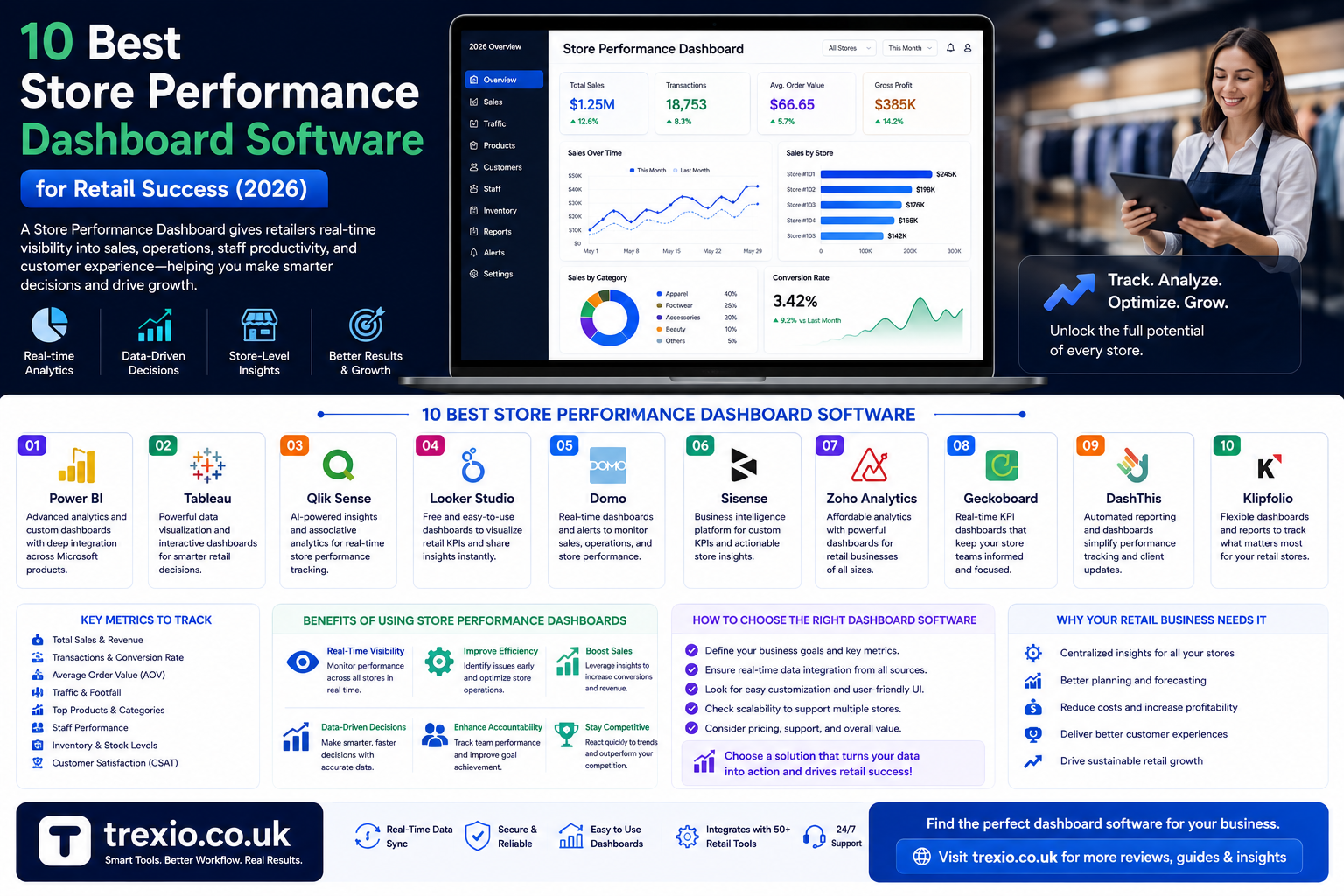
A store performance dashboard helps retailers track important business metrics in real time. Instead of checking multiple reports, business owners can monitor sales, inventory, customer trends, staff productivity, and profits through one easy-to-read dashboard.
Whether you own a small retail shop, a growing chain, or an online business, choosing the right store performance dashboard can improve decision-making and increase efficiency. Modern dashboard software also provides customizable reports, forecasting tools, and integrations with POS systems, accounting software, and eCommerce platforms.
In this guide, we’ll compare the best tools available to help you choose the ideal store performance dashboar’d for your business.
Quick Summary
A quality store performance dashboard enables retailers to:
- Monitor sales in real time
- Track inventory performance
- Analyze customer buying behavior
- Measure employee productivity
- View KPIs from one dashboard
- Generate automated reports
- Improve operational efficiency
- Make data-driven business decisions
The right store performance dashboar’d saves time while helping businesses increase profitability.
Why You Need a Store Performance Dashboard
A modern store performance dashboard helps retailers quickly understand how their stores are performing. Instead of manually collecting reports, dashboards display important metrics in one location.
Benefits include:
- Real-time analytics
- Faster decision making
- Better inventory control
- Employee performance tracking
- Revenue forecasting
- Customer insights
- Multi-store reporting
Top Store Performance Dashboard Software
Software Comparison Table
| Software | Best For | Key Features | Free Plan | Starting Price |
|---|---|---|---|---|
| Microsoft Power BI | Advanced business analytics | Interactive dashboards, AI insights, retail KPIs, real-time reporting | Yes | From $10/user/month |
| Tableau | Visual analytics | Drag-and-drop reports, customizable dashboards, forecasting | Trial | From $75/user/month |
| Looker Studio | Small businesses | Google integration, real-time reports, cloud dashboards | Yes | Free |
| Klipfolio | KPI tracking | Retail metrics, automated dashboards, live business reports | Trial | From $90/month |
| Zoho Analytics | Growing retailers | Self-service BI, inventory analytics, sales dashboards, AI assistant | Trial | From $24/month |
Features to Look for in a Store Performance Dashboard
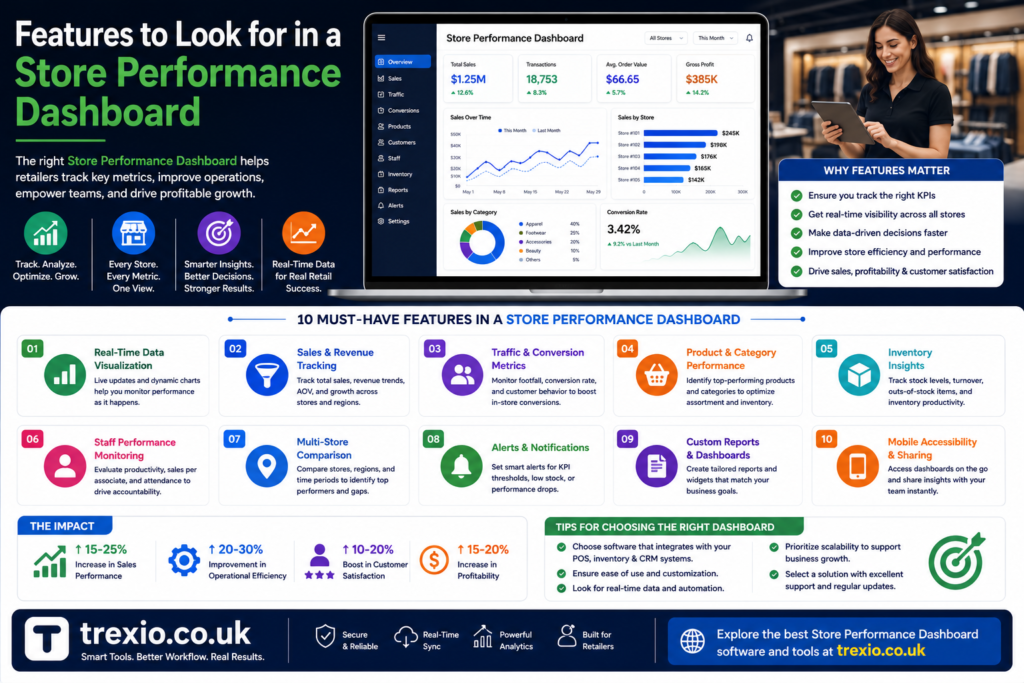
When selecting a store performance dashboard, prioritize features such as:
- Real-time reporting
- KPI monitoring
- Sales analytics
- Inventory tracking
- Employee performance metrics
- Mobile dashboard access
- Multi-store support
- Custom reports
- Cloud synchronization
- Third-party integrations
These features help businesses gain maximum value from a store performance dashboard.
Who Should Use a Store Performance Dashboard?
A store performance dashboar’d is useful for:
- Retail store owners
- Franchise operators
- Supermarkets
- Convenience stores
- Fashion retailers
- Electronics stores
- eCommerce businesses
- Multi-location retail chains
Using a store performance dashboard allows each business to monitor operations efficiently and identify opportunities for growth.
Software Comparison Table
| Software | Best For | Key Features | Free Plan | Starting Price |
|---|---|---|---|---|
| Qlik Sense | Enterprise analytics | AI-powered insights, self-service dashboards, predictive analytics | Trial | Custom Pricing |
| Domo | Large retail chains | Real-time business intelligence, KPI dashboards, data integration | Trial | Custom Pricing |
| Sisense | Embedded analytics | Interactive visualizations, AI analytics, cloud deployment | Trial | Custom Pricing |
| Geckoboard | Live KPI monitoring | TV dashboards, real-time metrics, retail scorecards | Trial | From $49/month |
| Databox | SMB reporting | Mobile dashboards, KPI tracking, automated reports | Yes | From $47/month |
Feature Comparison Table
| Feature | Power BI | Tableau | Looker Studio | Klipfolio | Zoho Analytics | Qlik Sense | Domo | Sisense | Geckoboard | Databox |
|---|---|---|---|---|---|---|---|---|---|---|
| Real-Time Dashboard | ✔ | ✔ | ✔ | ✔ | ✔ | ✔ | ✔ | ✔ | ✔ | ✔ |
| Sales Analytics | ✔ | ✔ | ✔ | ✔ | ✔ | ✔ | ✔ | ✔ | ✔ | ✔ |
| Inventory Tracking | ✔ | ✔ | Limited | ✔ | ✔ | ✔ | ✔ | ✔ | Limited | Limited |
| Employee Performance | ✔ | Custom | Limited | ✔ | ✔ | ✔ | ✔ | ✔ | Limited | Limited |
| Mobile App | ✔ | ✔ | ✔ | ✔ | ✔ | ✔ | ✔ | ✔ | ✔ | ✔ |
| Cloud Based | ✔ | ✔ | ✔ | ✔ | ✔ | ✔ | ✔ | ✔ | ✔ | ✔ |
| AI Insights | ✔ | ✔ | Limited | No | ✔ | ✔ | ✔ | ✔ | No | Limited |
| Multi-Store Reporting | ✔ | ✔ | ✔ | ✔ | ✔ | ✔ | ✔ | ✔ | ✔ | ✔ |
Pricing Comparison Table
| Software | Free Version | Paid Plan Starts At | Best For |
|---|---|---|---|
| Microsoft Power BI | Yes | $10/user/month | Retail analytics |
| Tableau | Trial | $75/user/month | Advanced visualization |
| Looker Studio | Yes | Free | Small businesses |
| Klipfolio | Trial | $90/month | KPI dashboards |
| Zoho Analytics | Trial | $24/month | Growing retailers |
| Qlik Sense | Trial | Custom | Enterprise BI |
| Domo | Trial | Custom | Large organizations |
| Sisense | Trial | Custom | Embedded analytics |
| Geckoboard | Trial | $49/month | Live business dashboards |
| Databox | Yes | $47/month | Small and medium businesses |
How to Choose the Best Store Performance Dashboard
Choosing the right store performance dashboard depends on your business size, budget, and reporting needs. Consider the following factors before making a decision:
Business Size
Small retailers often benefit from simple and affordable dashboard tools, while enterprise businesses may require advanced analytics and AI-driven reporting.
Ease of Use
Select software with an intuitive interface that allows employees to create reports without extensive technical knowledge.
Integration Options
A good store performance dashboar’d should connect with your POS system, accounting software, inventory management tools, CRM, and eCommerce platform.
Reporting Features
Look for customizable dashboards, automated reports, KPI tracking, and real-time analytics.
Scalability
As your business grows, your store performance dashboard should support multiple stores, more users, and larger datasets without performance issues.
Budget
Compare subscription costs, available free plans, and additional feature pricing before committing to a solution.
Our Recommendation
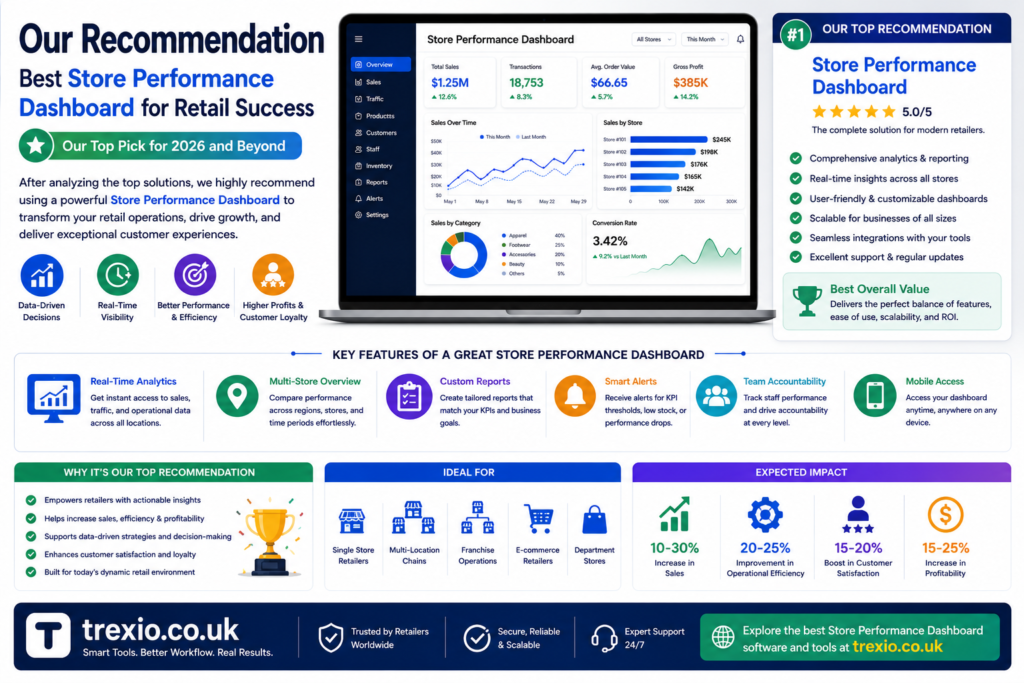
If you need the best all-around store performance dashboard, Microsoft Power BI is an excellent choice because it offers powerful analytics, flexible dashboards, AI-powered insights, and affordable pricing.
For businesses looking for advanced data visualization, Tableau remains one of the strongest options.
Small retailers wanting a free solution should consider Looker Studio, while businesses seeking comprehensive reporting at a reasonable price will appreciate Zoho Analytics.
Large retail enterprises with complex reporting requirements should evaluate Domo, Sisense, or Qlik Sense for enterprise-grade analytics.
Conclusion
A reliable store performance dashboard helps retailers make smarter business decisions by bringing sales, inventory, customer behavior, and operational metrics together in one place. Instead of relying on manual reports, businesses can monitor key performance indicators in real time and quickly respond to changing trends.
Whether you’re managing a single retail location or a nationwide chain, investing in the right store performance dashboard can improve efficiency, increase profitability, and support long-term growth. Compare features, pricing, integrations, and scalability to choose the software that best fits your business goals.
Frequently Asked Questions (FAQs)
1. What is a store performance dashboard?
A store performance dashboard is a reporting tool that displays retail KPIs such as sales, inventory, customer trends, and employee performance in one centralized view.
2. Why is a store performance dashboard important?
It provides real-time business insights, helping retailers make faster and more informed decisions.
3. Which software is best for a store performance dashboard?
Microsoft Power BI, Tableau, Zoho Analytics, Looker Studio, and Domo are among the leading choices.
4. Can small businesses use a store performance dashboard?
Yes. Many platforms, including Looker Studio and Databox, offer free or affordable options suitable for small businesses.
5. Does a store performance dashboard work with POS systems?
Most modern dashboard tools integrate with popular POS systems and retail management software.
6. Can I monitor multiple stores?
Yes. Many store performance dashboard platforms support multi-store reporting and centralized management.
7. Are cloud-based dashboards secure?
Reputable providers use encryption, user permissions, and regular security updates to protect business data.
8. How do I choose the best store performance dashboard?
Evaluate ease of use, integrations, reporting capabilities, scalability, pricing, and customer support to find the best fit for your retail operations.
Quick Bio
About the Author
The author is a technology and business software writer specializing in retail solutions, business intelligence platforms, and digital transformation. Their content focuses on simplifying complex software comparisons, helping businesses choose tools that improve productivity, reporting, and operational performance through data-driven decision-making.